Seeing Statistics
Explorable explanations for intro stats
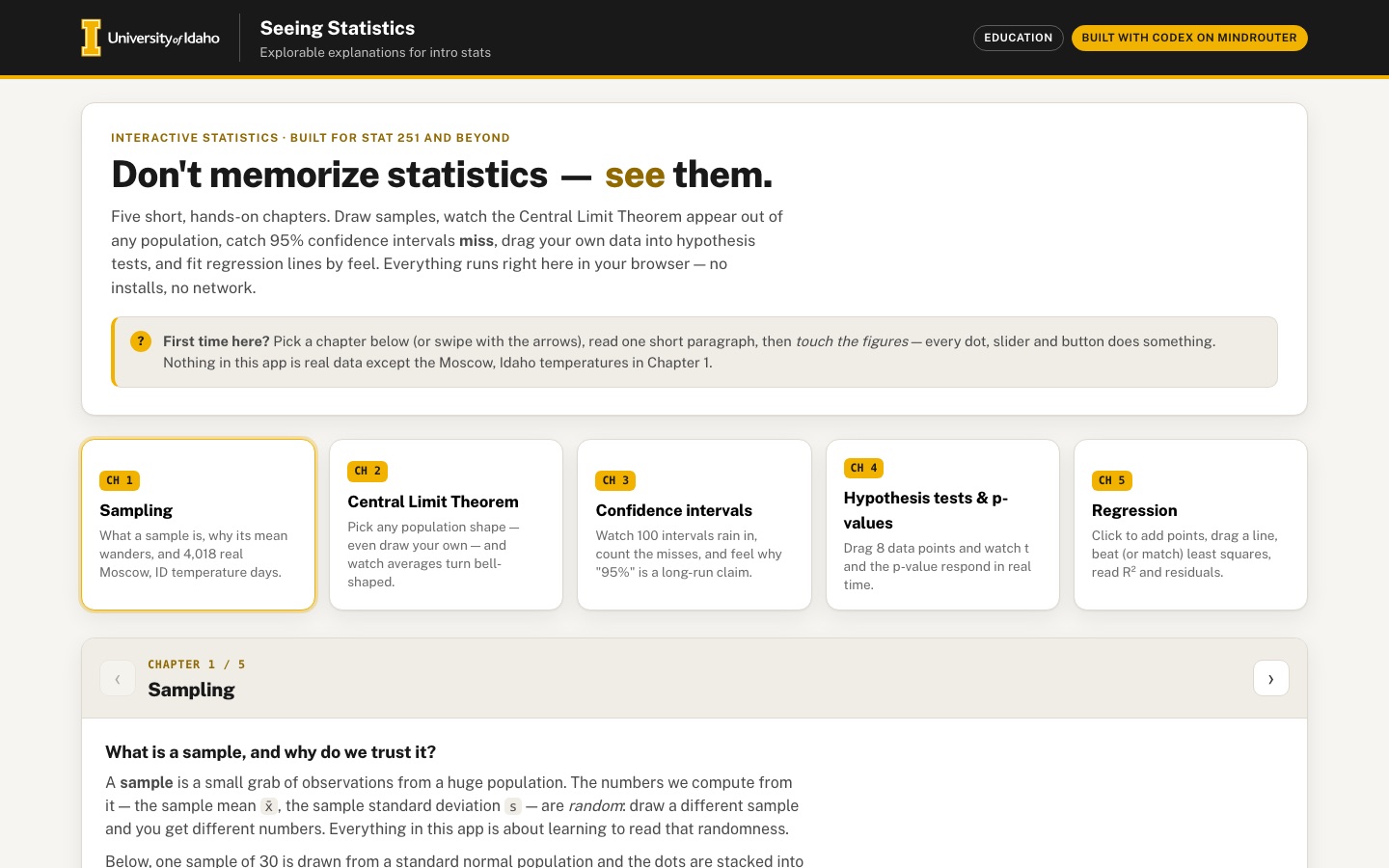
Build intuition by playing: draw samples, watch the central limit theorem happen, catch 95% confidence intervals missing the truth, and feel how p-values move as data changes.
 Desktop · click to enlarge
What it is ✎ blurb written by the AI critic
Five short, hands-on chapters for intro statistics. Sample real daily high temperatures from the University of Idaho campus weather station, sketch any population and watch sample means form a bell curve, rain 100 confidence intervals and count the misses, drag data points to move a t-test's p-value, and fit a regression line against least squares. Each chapter ends with quick questions that explain the answer.
Try this
- In Chapter 2 choose 'draw your own', sketch a lopsided shape, press +1,000, and compare the SD of the means with the CLT prediction
- In Chapter 1 press 'Take consecutive days' a few times, then 'Draw random sample' a few times, and compare how widely the two kinds of means spread on the strip
- In Chapter 4 set H0: mu = 10 and drag the rightmost dot far to the right: p goes up, not down, because the outlier inflates s
Highlights ✎ written by the AI critic
- Real data: 4,018 days (2015-2025) of NOAA daily highs from the MOSCOW U OF I station, cited in the app
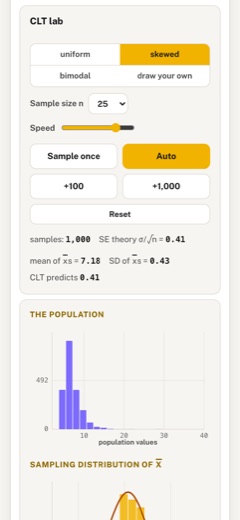
- CLT lab with uniform, skewed, bimodal or hand-drawn populations and a live sampling distribution with its normal curve
- Confidence-interval rain at 90/95/99% with a coverage counter against the nominal level
- Drag-the-data t-test that updates t, the shaded null-distribution tails and the p-value as you move points
- Regression lab: click to add points, drag your own line, and compare its R2, SSE and residuals with least squares
Who it's for
STAT 251 students, instructors, anyone who never quite 'got' confidence intervals
Features
- Chapter navigation (Sampling, CLT, Confidence intervals, Hypothesis tests, Regression) with short prose and live figures
- CLT lab: pick a population shape (uniform, skewed, bimodal, draw-your-own), animate repeated sampling, watch the sampling distribution build up
- Confidence-interval rain: 100 intervals falling into place, the misses highlighted, coverage counter vs nominal level
- p-value playground: drag data points and see the test statistic, null distribution and p-value update
- Regression: click to add points, drag the line vs least-squares fit, residual plot and R²
- Short check-your-understanding questions with instant feedback
Data & sources
- data.rcc-acis.org — NOAA NWS Cooperative Observer Program, station MOSCOW U OF I, ID (COOP 106152 / GHCN USC00106152): daily maximum temperature 2015-01-01 to 2025-12-31 (4,018 days), via RCC-ACIS StnData
- All other figures are simulated in the browser and labelled illustrative in the app
How it was built
Written by Codex CLI 0.154.0 (github.com) on qwen/qwen3.8-27b, served by MindRouter, the University of Idaho's on-premises AI platform.
Rounds by kind
| build | 1 |
| feedback | 7 |
| continue | 2 |
| critic | 2 |
Lines of code per file
| body html | 67 |
| app css | 246 |
| app js | 2,106 |
| scripts | 74 |
Critic scores ✎ scored by the independent AI critic, 1–10
Independent audits ✎ by the AI critic
Automated checks
Checked by critic-verify.
Data spot checks ✎ written by the AI critic
- Moscow card n / mean / min / max = 4018 / 60.74 F / 2 F / 105 F; raw acis_moscow_maxt_2015-2025.json gives 4018 / 60.74 / 2 / 105; embedded vals identical to raw
- Histogram tooltips 40-45 F = 375 days, 80-85 F = 300 days, 100-105 F = 24 days; Python binning of raw data gives 375 / 300 / 24
- Ch4 default points, mu0=12: app t = 0.74, p = 0.484; scipy ttest_1samp t = 0.739, p = 0.484. Dot dragged to 20: app p = 0.347, scipy 0.3471. mu0 = 10 drag 14.1->20: app p 0.001 -> 0.022, scipy 0.0011 -> 0.0228
- Ch5 seeded 9 points: app LS y = 0.76 + 0.98x, R2 0.932, SSE 4.8, your line R2 0.870, SSE 9.2; numpy polyfit gives identical values; 10-point snapped fit 1.38 + 0.72x, R2 0.474, SSE 45.1 also matches
- Ch3 CI rows: hit flags agree with lo <= 50 <= hi for all 100 rows; 95%/n=25 mean width 9.89 vs expected 9.80 (t* 2.064); 99%/n=10 mean width 24.10 vs expected 23.99 (t* 3.250)
Round-by-round timeline
Every harness round, in order. The prompts and FEEDBACK.md were written by the AI reviewer; the app code was written by the harness. Expand a round to see the exact prompt and the FEEDBACK.md the harness received.
-
Chapters 2, 3 and 4 crash as soon as they open; chapter 5 shows no figures. Clicking the "CH 2", "CH 3", "CH 4" cards (or the › button) shows only the prose paragraph and throws:
-
CH 2:
TypeError: Cannot read properties of null (reading 'addEventListener')atbuildChapter2(the#cltNsample-size select is not found) -
CH 3: same error at
buildChapter3(#ciConfnot found) -
CH 4: same error at
buildChapter4(#tvMu0not found) -
CH 5: no error, but the chapter contains no SVG, no buttons and no quiz — just the prose. Cause observed: every figure card, control row, button and quiz that is created with a two-argument call like
div('fig', body)/div('btn', 'Sample once', ctrl)/div('quiz', parent)is never inserted into the page (the helper takes(cls, html, parent), so the parent is being passed as the html argument). Result: the CLT lab, the CI rain, the p-value playground, the regression lab and ALL check-your-understanding quizzes are invisible. Expected: every chapter shows its live figures, controls and quiz, with zero console errors. Test every chapter after fixing.
-
-
Chapter 1's first figure is missing. The prose says "one sample of 30 is drawn from a standard normal population… Press Draw new sample", but no dot strip, histogram or "Draw new sample" button appears (same cause as item 1) — there is a large empty gap between the prose and the Moscow card.
-
Check-your-understanding quizzes never appear in any chapter. After fixing, give each chapter 2–3 short questions (not just one), with instant correct/incorrect feedback, a short explanation, a "try again" option, and a small score indicator (e.g. "2 / 3 correct").
-
Chart text is badly scaled. SVG charts are drawn in a fixed 520-unit viewBox and stretched to the container, so on desktop the Moscow histogram's tick labels ("470", "235", "0", "20"…) and the "11-yr mean 60.74" label render ~30 px tall (they look like headlines), while at 390 px wide the same labels are ~6 px and unreadable. Expected: axis/tick labels around 11–13 px and titles ~13–14 px at every width — e.g. size each chart to its real pixel width (re-render on resize) or cap chart widths so text stays legible; axis labels must never overlap bars or each other.
-
Desktop layout wastes half the screen. Prose is ~740 px wide with an empty right half, then a single figure stretched to 1060 px. On wide screens use a two-column layout per chapter (short prose + controls + readouts on one side, the live figure(s) on the other, or figures side by side), so a laptop user sees the prose, the controls and the chart without scrolling. The CLT text says "left" / "right-hand histogram" — on desktop the population and the sampling distribution must actually be side by side (stacked on phones).
-
CLT lab (after it renders) — make it feel alive. Required: population shape buttons (uniform, skewed, bimodal, draw your own) with a clear selected state; for "draw your own", a visible drawing area with a hint ("drag across the box to sketch a population shape"), a clear button, and the drawn shape actually used as the population. Animate each sample: show the n sampled values dropping out of the population, their mean marked, then that mean dropping into the sampling-distribution histogram. Offer sample size n (a slider or select) and speed; show the count of samples, the mean and SD of the sample means vs the CLT prediction σ/√n, and overlay the predicted normal curve. Note: a
<canvas>2D context does not understand CSSvar(--…)colors — strokes/fills set that way silently fall back to black, so use real color values on canvas. -
Confidence-interval rain must actually "rain". Pressing "Drop 100 intervals" should animate the intervals falling into place one after another (top to bottom, a few ms apart), not all appearing at once; the coverage counter ("93 of 100 contain μ — 93% vs nominal 95%") should tick up as each interval lands, misses highlighted in raspberry and clearly counted. Changing the confidence level or n should visibly change interval widths on the next drop; include Clear and an empty state. Keep 100 intervals per view readable on a phone (thin rows are fine, but no overlap with the μ label).
-
p-value playground drag must be continuous. The code re-renders the whole scatter SVG on every pointer move, which removes the circle that holds the pointer capture — so a drag will stop after the first move. Expected: grabbing a data point and dragging it follows the pointer smoothly for the whole gesture (mouse and touch), while x̄, s, t, the null t-distribution with shaded tails and the p-value update live. Dots with similar values must not hide each other (stack or offset them vertically). Show the p-value prominently (large number + a bar or "significant at α = 0.05" badge).
-
Regression lab handle drag has the same problem. Dragging a gold line handle re-renders the plot and destroys the handle mid-drag. Expected: both handles (and ideally the line body) can be dragged smoothly; clicking an empty spot adds a point; points can be removed (e.g. click a point, or a "remove last" button); readouts show your line vs least-squares line, SSE for each, and R² for each; the residual plot updates live. Show squared-residual boxes or residual segments on the scatter as an option so students see what "least squares" minimizes.
-
Phone: chapter cards take a whole screen before any content. At 390 px the five chapter cards stack vertically (~800 px) above the chapter. Make chapter navigation compact on phones (a horizontally scrollable row of pill tabs, or a sticky chapter bar with prev/next) so the chapter content starts on the first screen after the hero.
-
Moscow "try it on real data" step: show the sample, not just a line. After "Draw random sample" / "Take consecutive days", only a thin gold line is added and the result stats are placed outside the card, below it. Expected: the sampled days highlighted (e.g. an overlaid histogram of the sample in gold), the result stats inside the card, and a growing strip/histogram of the sample means from repeated draws, so students see that consecutive-day samples are biased by season while random samples center on 60.7 °F. The statline wraps awkwardly on phones ("max = 105 °F" on its own line).
-
Chapter transitions and feedback states. Switching chapters should fade/slide the chapter content (150–250 ms) and move keyboard focus to the chapter title; buttons need hover/active states; numbers in readouts should use tabular numerals so they don't jitter while dragging.
-
Every chart container is still detached from the page (same bug as last round). These calls in
src/app.jsstill pass only two arguments todiv(cls, html, parent), so the parent element goes into thehtmlslot and the new element is never appended — everything drawn into it is invisible:-
line 275-276
dots1,hist1(Ch1: the N(0,1) dot strip and histogram — the card shows only the button and stats) -
line 349-350
mwrap,swrap(Ch1: the Moscow 4,018-day histogram and the sample-means strip — gone) -
line 492
right(Ch2: the whole right-hand figure column: population + sampling-distribution histograms) -
line 506, 509
nSel,spd(Ch2: the "Sample size n" select and the "Speed" slider are not on the page) -
line 617, 620, 623, 624
popHist,cltHist,popWrap,cltWrap(Ch2 figures) -
line 829, 833, 840
confSel,nSel,plot(Ch3: confidence-level and n selects, and the interval-rain plot) -
line 1015, 1025, 1026
mu0Sel,scatter,dist(Ch4: μ₀ select, the draggable dots, the null t-distribution) -
line 1205, 1212, 1218, 1219
right,residChk,plot,residPlot(Ch5: scatter plot, "show residual segments" checkbox, residual plot) Search the whole file for any otherdiv('…', someElement)call with two arguments and fix those too. Expected: every figure described in the prose is visible, and every select/slider/checkbox is on the page. Please verify in the built page that each chapter contains its SVG charts before finishing.
-
-
Console errors in Chapter 1:
Error: <line> attribute y2: Expected length, "NaN".(logged twice on load and again on every "Draw new sample"). The μ = 0 and x̄ marker lines in the dot strip are drawn with a margin object that has nobottom, so theiry2is NaN. Expected: no console errors at all. -
p-value playground drag will stop after the first pointer move. Once the scatter is visible:
dragPoint's move handler callsupdate(), which callsrenderScatter(), which empties the container and rebuilds the SVG — the circle that owns the pointer capture and the move listener is thrown away, so the dot moves one step and then stops following the pointer. Expected: press on a dot and drag it across the axis in one continuous gesture (mouse and touch); x̄, s, t, p, the p-bar, the shaded tails and the t marker all update live during the drag. (E.g. keep the drag listeners on a persistent element such as the SVG's container orwindow, or move the existing circle instead of rebuilding.) -
Regression drag has the same problem, and the line body can't be grabbed. The svg
pointermovehandler callsupdate()→renderPlot(), which replaces the SVG and creates a newattachPlotDragclosure whosedraggingisnull, so handle drags stop after one move. The line-body drag checks forid === 'myline', but the gold line element has no id, so grabbing the line does nothing. A click that ends a drag must not add a point. Expected: both handles and the line itself drag smoothly; clicking an empty spot adds a point; clicking a point removes it; R², SSE and the residual plot update live. -
Programmatic focus draws a big gold box around the chapter title. After every chapter switch the "Sampling" / "Regression" title shows a thick gold rounded rectangle spanning the whole header (it looks like a text input). Keep moving focus there for screen readers, but don't show the focus ring for programmatic focus (only for keyboard focus on interactive controls).
-
Quiz score text is confusing. Before answering it reads "0 / 0 answered · best: 0 / 3". Show something like "0 of 3 answered" and, once answered, "2 / 3 correct". On desktop the answer options are 1,180 px wide full-width bars and each quiz is ~900 px tall — lay options out in a 2-column grid on wide screens (1 column on phones) and keep the quiz compact.
-
Desktop layout: chapters still leave half the screen empty. Prose is ~720 px wide with nothing to its right; in Ch2 and Ch5 the "CLT lab" / "Scatter + line" control card is 380 px wide on the left with an empty right half (because the figure column is detached — item 1). In Ch2 the "Sample once", "Auto" and "Reset" buttons are stacked as full-width bars; put them in one row. Once the charts show, check that Ch1, Ch3 and Ch4 also use the width well (controls + readouts beside or directly above a wide chart; in Ch4 the dot plot and the t-distribution can sit side by side).
-
"x̄" renders badly in readouts. In the stat lines (e.g. Ch1 "x̄ = −0.19", Ch4 "x̄ = 12.32") the combining macron is drawn detached, to the right of the x ("x ̄ ="). Use a rendering that looks right in Public Sans and the mono font (e.g. an x with a CSS overline, or the word "mean" in tight spots).
-
CI rain chapter — once visible, check it matches the spec. 100 intervals should fall into place one after another with the counter ticking; misses in raspberry; nominal level label updates when the confidence select changes; "Clear" shows the empty state; the μ label must not collide with the first rows. The rain starts automatically when the chapter opens — also make "Drop 100 intervals" re-run it with the currently selected level and n.
-
CLT lab — once visible, check the animation reads clearly. The sampled dots should visibly fall out of the population histogram and their mean should drop into the sampling-distribution histogram; "Auto" should keep going until "Stop"; the speed slider and n select must change what happens; "draw your own" must show the drawing box with its hint and use the sketch as the population.
-
Page error on load — the app never finishes initialising:
-
Because this throws inside the first
goChapter(0), everything after it is skipped. What a visitor sees: the five chapter cards / pill tabs are gone (#chaptersis empty) — there is no way to reach Chapters 2–5; -
in Chapter 1 only the dot strip is drawn: the N(0,1) histogram, the whole "Try it on real data — Moscow" card and the quiz are missing;
-
clicking "Draw new sample" or the › button throws the same error again.
-
"x̄" now renders as "xx̄". In the Chapter 1 stat line the readout shows
n = 30 xx̄ = 0.12 (μ = 0.00)— a plain x followed by an overlined x. It must show a single overlined x. Check every readout that uses the new x-bar markup (Ch1, Ch2 "mean of x̄s", Ch4 readout, tooltips). -
Label collision in the Chapter 1 dot strip. The "μ = 0" label is drawn on the same row as the dots and is covered by them. Put marker labels above the dots (or in a top margin) so they never overlap data points.
-
Please re-check every item from the previous round once the crash is fixed — none of them could be tested because of item 1. In particular:
-
Every chapter shows its SVG charts; all selects / sliders / the residuals checkbox are visible.
-
p-value playground: a dot can be dragged in one continuous gesture; p, t, the tails and the badge update during the drag.
-
Regression: both handles and the gold line body drag smoothly; click empty spot adds a point; click a point removes it; a click that ends a drag does not add a point.
-
CI rain animates 100 intervals falling in with a live counter; Clear shows the empty state.
-
CLT lab: Sample once / Auto / Stop / Reset, n select, speed slider and "draw your own" sketch all work.
-
No console errors, no gold focus box around the chapter title, quiz score reads "0 of 3 answered".
-
-
A window resize wipes the current chapter's state and leaves a runaway timer that throws errors. Steps: Chapter 2 → click "bimodal" → click "Auto" (samples: 3) → resize the window from 1440 to 1200 px. Result: the lab resets to "uniform", "samples: 0", button back to "Auto". Then go to Chapter 3: the old Auto timer is still running and throws on every tick:
-
The page auto-scrolls past the hero on first load. On load
window.scrollYis 637 px: the visitor lands on the Chapter 1 header and never sees the title, the intro, the "First time here?" hint or the chapter cards. Only scroll to the chapter when the user picks a chapter (card, pill, prev/next, arrow key). -
"Draw your own" population ignores the sketch. In Chapter 2, click "draw your own" and drag a broad shape across the box (e.g. a wide plateau on the left and another on the right). The drawing shows two wide plateaus, but "THE POPULATION" histogram still shows the default two narrow spikes (near 19 and 31), and samples come from that default, not from the drawing. Expected: the population histogram updates live to match the sketch while drawing, and "Sample once"/"Auto" sample from the drawn shape.
-
The CLT sampling distribution builds up far too slowly to "watch the CLT happen". At the default speed Auto adds about 2.6 samples per second — after 4 s there are 11 means, i.e. two or three bars. A student would wait minutes to see a bell shape. Expected: add quick buttons such as "+100" and "+1,000 samples", and make the top of the speed slider fast (tens of samples per second, skipping the per-sample dot animation at high speed), so a bell curve emerges within a few seconds and the "SD of x̄s vs CLT predicts" readout converges visibly.
-
Moscow "try it on real data" card gets cluttered and the sample is invisible.
-
Each draw adds another gold vertical line with its own "x̄ 43.8"-style label; after 5 draws the labels print on top of each other and over the "11-yr mean 60.74" label (unreadable jumble at the top of the chart). Show only the latest sample's mean line, with its label placed so it never overlaps the 11-yr mean label.
-
The gold histogram of the sample is effectively invisible: a 10- or 30-day sample is drawn on the same count axis as 4,018 days, so its bars are 1–3 px tall. Make the sample visible (e.g. scale both as percentages/density, or show the sampled days as a rug of gold dots along the x-axis).
-
The "sample means, n = 10 (repeat draws stack here)" strip has no axis: add °F ticks aligned with the histogram above, use two colors (and a legend) for random vs consecutive draws, and show a count and the spread (SD) of each kind — that contrast is the lesson.
-
-
Chapter 1 dot strip labels collide. When x̄ is near 0 the "μ = 0" and "x̄ −0.21" labels print on top of each other above the dots. Offset them (e.g. one left-aligned, one right-aligned, or two rows).
-
Chapter 3 chart polish.
-
The "μ = 50" label at the top is covered by the first interval rows.
-
The x-axis title "value (true μ = 50)" overlaps the "50" tick label at the bottom.
-
The x-axis spans 5–95 but the intervals occupy only ~38–62, so 75% of the width is empty and the width difference between 90/95/99% is hard to see. Zoom the axis to the data (e.g. 30–70).
-
Add a small coverage bar under the counter: coverage so far with a marker at the nominal level.
-
-
Phone: Chapter 2 shape buttons wrap badly. At 390 px the segmented control shows "uniform | skewed | bimodal" on one row and "draw your own" alone on a second row with an empty cell beside it, which looks broken. Use a clean 2×2 grid (or shorter labels) on narrow screens.
-
Desktop: Chapter 1 figures leave a big empty band on the right. Both Chapter 1 figure cards are ~1,200 px wide but the charts stop at 760 px. Either let the charts use the width or put the stats / controls / a short "What to notice" note in a right-hand column (as Chapters 2 and 5 do).
-
Chapter 4 label overlap. When x̄ is close to μ₀ the "μ₀ = 12" and "x̄ 12.3" labels touch or overlap (clearly visible at 390 px). Offset one of them vertically.
-
The page still auto-scrolls past the hero on first load.
window.scrollYright after load is 637 px on desktop and 1,010 px on a 390 px phone, so first-time visitors land on the Chapter 1 header and never see the title, intro, "First time here?" hint or the chapter cards. Cause: the initialgoChapter(0)at the bottom ofapp.jsis not called in "silent" mode, so thestage.scrollIntoView(...)branch runs on load. Expected: scrollY stays 0 on load; scroll only when the user navigates. -
Moscow "sample means" strip is broken and logs console errors. Every click on "Draw random sample" or "Take consecutive days" logs
Error: <circle> attribute cx: Expected length, "NaN".All strip dots pile up at the far-left edge (at the "20" tick) instead of at their °F values; the summary reads "random: 4 draws · SD —°F consecutive: —" after 2 random + 2 consecutive draws (consecutive draws are never counted and the SD never computes). Cause:moscowDrawpushes the bare numbersmintodrawnMeans, butrenderStripexpects objects withkindandsm. Expected: gold dots for random draws and teal dots for consecutive draws at their correct positions, correct counts and SDs for each kind, no console errors. -
Moscow chart label collision. After a draw the gold "x̄ 67.1" label is printed on top of the "11-yr mean 60.74" label at the top of the histogram (both unreadable). Also the strip's summary line is tiny mono text drawn over the dashed mean line, and the strip leaves ~150 px of empty space below its axis. Put the two labels on separate rows (or opposite sides), move the summary into normal HTML text below the strip, and tighten the strip height.
-
Phone: the CLT button row overflows its card. At 390 px the "+1,000" button's right edge is at 393 px while the card ends at 359 px — it sticks out of the card and is clipped at the screen edge. "Sample once" also wraps onto two lines (on desktop too). Let the row wrap cleanly (e.g. two rows of equal-width buttons on phones) and keep button labels on one line.
-
Chapter 3: x-axis title collides with the tick labels. "value (true μ = 50)" is drawn on the same line as the tick labels and covers "50" (and "45"/"55" on phones). Put the axis title below the ticks. Also the coverage text appears twice ("coverage so far: 97.2% vs nominal 95%" in the stat line and again "coverage so far: 97.2% · tick = nominal 95%" under the bar) — show it once, e.g. a legend under the bar: "▮ nominal 95%".
-
Chapter 4 labels still collide when x̄ is near μ₀. Example: μ₀ = 14, x̄ = 13.6 — the red "μ₀ = 14" and the brown "x̄ 13.6" labels overlap around the two dashed lines. When t is near 0, the "t = −0.37" label sits on the peak of the t curve. Place labels so they never overlap each other or the curve (e.g. μ₀ label left of its line, x̄ label right of its line on a second row; t label above the plot area).
-
Chapter 1 first card uses only 60% of the width on desktop. "A single sample of 30 from N(0, 1)" draws its charts 760 px wide in a 1,200 px card, leaving an empty right band — give it a right column like the Moscow card (live stats + a short "What to notice" list, e.g. "x̄ lands much closer to 0 than most dots").
-
CLT Auto default speed is still slow (8 samples after 3 s). Start the speed slider at a faster default (e.g. ~8–10 samples/s) so pressing Auto visibly builds the histogram right away; keep "+100"/"+1,000".
-
The page still auto-scrolls past the hero on first load.
window.scrollYright after load is 637 px on desktop and 1,010 px on a 390 px phone, so first-time visitors land on the Chapter 1 header and never see the title, intro, "First time here?" hint or the chapter cards. Cause: the initialgoChapter(0)at the bottom ofapp.jsis not called in "silent" mode, so thestage.scrollIntoView(...)branch runs on load. Expected: scrollY stays 0 on load; scroll only when the user navigates. -
Moscow "sample means" strip is broken and logs console errors. Every click on "Draw random sample" or "Take consecutive days" logs
Error: <circle> attribute cx: Expected length, "NaN".All strip dots pile up at the far-left edge (at the "20" tick) instead of at their °F values; the summary reads "random: 4 draws · SD —°F consecutive: —" after 2 random + 2 consecutive draws (consecutive draws are never counted and the SD never computes). Cause:moscowDrawpushes the bare numbersmintodrawnMeans, butrenderStripexpects objects withkindandsm. Expected: gold dots for random draws and teal dots for consecutive draws at their correct positions, correct counts and SDs for each kind, no console errors. -
Moscow chart label collision. After a draw the gold "x̄ 67.1" label is printed on top of the "11-yr mean 60.74" label at the top of the histogram (both unreadable). Also the strip's summary line is tiny mono text drawn over the dashed mean line, and the strip leaves ~150 px of empty space below its axis. Put the two labels on separate rows (or opposite sides), move the summary into normal HTML text below the strip, and tighten the strip height.
-
Phone: the CLT button row overflows its card. At 390 px the "+1,000" button's right edge is at 393 px while the card ends at 359 px — it sticks out of the card and is clipped at the screen edge. "Sample once" also wraps onto two lines (on desktop too). Let the row wrap cleanly (e.g. two rows of equal-width buttons on phones) and keep button labels on one line.
-
Chapter 3: x-axis title collides with the tick labels. "value (true μ = 50)" is drawn on the same line as the tick labels and covers "50" (and "45"/"55" on phones). Put the axis title below the ticks. Also the coverage text appears twice ("coverage so far: 97.2% vs nominal 95%" in the stat line and again "coverage so far: 97.2% · tick = nominal 95%" under the bar) — show it once, e.g. a legend under the bar: "▮ nominal 95%".
-
Chapter 4 labels still collide when x̄ is near μ₀. Example: μ₀ = 14, x̄ = 13.6 — the red "μ₀ = 14" and the brown "x̄ 13.6" labels overlap around the two dashed lines. When t is near 0, the "t = −0.37" label sits on the peak of the t curve. Place labels so they never overlap each other or the curve (e.g. μ₀ label left of its line, x̄ label right of its line on a second row; t label above the plot area).
-
Chapter 1 first card uses only 60% of the width on desktop. "A single sample of 30 from N(0, 1)" draws its charts 760 px wide in a 1,200 px card, leaving an empty right band — give it a right column like the Moscow card (live stats + a short "What to notice" list, e.g. "x̄ lands much closer to 0 than most dots").
-
CLT Auto default speed is still slow (8 samples after 3 s). Start the speed slider at a faster default (e.g. ~8–10 samples/s) so pressing Auto visibly builds the histogram right away; keep "+100"/"+1,000".
-
Chapter 5: the first click after any drag is ignored. Steps: drag a gold handle (or the gold line) a little and release; then click a data point to remove it → nothing happens (9 points stay 9); click it again → now it is removed (9 → 8). Same for adding: after a drag, the first click on an empty spot adds nothing, the second click adds the point. Expected: only the click event that ends a drag is suppressed; the very next separate click must work normally (e.g. clear the "just dragged" flag on the next pointerdown, or compare against the drag's own pointerup instead of leaving the flag set).
-
Chapter 1 "What to notice" text glitch. The first bullet reads "x̄ = −0.15 — lands yes — well inside the expected range (SE = s/√n ≈ 0.20)." ("lands yes —" is broken English; it comes from the
lands ${closer}template). It should read naturally, e.g. "x̄ = −0.15 lands well inside the expected range (within 1 SE ≈ 0.20 of μ)." and a matching phrase when x̄ is farther out (e.g. "lands 2.3 SEs from μ — an unusual draw"). -
Chapter 3 desktop: the interval chart stops at ~890 px inside a ~1,220 px card, leaving an empty band on the right. Let the plot use the full card width (it already re-renders on resize).
-
Chapter 1 Moscow card: the "sample means" strip leaves ~100 px of empty space below its tick labels (between the 20…90 ticks and the explanatory note). Tighten the strip height so the note follows directly.
-
Chapter 1 "What to notice": 1.5 SEs is called "an unusual draw". Observed texts: "x̄ = 0.31 lands 1.5 SEs from μ — an unusual draw." and "x̄ = −0.34 lands 1.8 SEs from μ — an unusual draw." A mean within 2 standard errors of μ happens about 95% of the time, so 1.5 or 1.8 SEs is ordinary. Expected wording by distance d = |x̄ − μ| / SE:
-
d < 1: "lands well inside the expected range (within 1 SE ≈ 0.20 of μ)" (already correct);
-
1 ≤ d < 2: e.g. "lands 1.5 SEs from μ — a typical draw (about 95% of means fall within 2 SEs)";
-
d ≥ 2: e.g. "lands 2.3 SEs from μ — an unusual draw (happens less than 5% of the time)".
-
-
Chapter 2 quiz Q2 marks a self-contradictory answer as correct. Question: "You switch the sample size from n = 10 to n = 40. What happens to the spread of the sampling distribution?" The option marked correct reads "It shrinks by about a factor of 4 (SD ÷ 2)". The spread (standard error σ/√n) halves when n is quadrupled; it is the variance that shrinks by 4. Change the correct option to something like "It is cut in half (SE = σ/√n, and √40 / √10 = 2)" and keep the explanation consistent with it.
-
Chapter 4 quiz Q2 is contradicted by the app itself. Question: "You drag one dot far to the right, away from μ₀. What happens to t and p?" — marked correct: "t gets bigger (in absolute value), p gets smaller". In the playground, dragging the leftmost dot steadily to the right makes p fall from 0.484 to 0.084 and then rise again to 0.141 as the dot goes farther, because the outlier inflates s faster than it moves x̄. Either reword the question to "a little to the right" or (better, it's a great lesson) make the correct answer "At first t grows and p shrinks, but drag it far enough and s grows so much that p rises again" and explain why. Check the other quiz answers/explanations for the same kind of overstatement.
-
Chapter 1 Moscow card, desktop: ~100 px of empty space remains between the strip's tick labels (20…90) and the explanatory note below, because the left column stretches to the height of the taller right column (controls + stats + "What to notice"). Align the left column to the top and let the note follow the strip directly (or move the note into the right column).
-
normalCurve(fig, mu, sigma, n, color)scales the density byn * bwwithbw = (hi - lo) / 80, the curve's sampling step, not the histogram's bin width. The curve therefore never lines up with the bars: Ch1 "single sample of 30": bins are 6.4/12 = 0.533 wide, so the expected peak is 30 x 0.533 x 0.399 = 6.4 values. The curve peaks at 0.96, down near the axis while the bars reach 6 to 9. -
CLT lab "Sampling distribution of x̄": bins are 8σ/18 wide, but the curve uses 8σ/80, so it is 4.44x too low. After +1,000 the bell sits at a quarter of the bar height. That undermines the chapter's main message ("the histogram becomes this bell").
-
The answer and explanation say that dragging one dot far right makes "p fall, hit a minimum, then climb — Try it". With the default data and H₀: μ = 12, dragging the rightmost dot (14.1) all the way to the axis end (20) makes p fall steadily from 0.484 to 0.347. It never climbs, and it would not visibly climb even with a wider axis. Independent scipy checks with the default 8 points: μ₀ = 10, rightmost dot dragged from 14.1 to 20 (away from μ₀): p RISES from about 0.001 to about 0.023, because s grows faster than x̄ moves.
-
μ₀ = 12, same drag: p falls only a little (0.484 to 0.347).
-
Ch1 dot plot: when x̄ is near 0, the "x̄ −0.03" label sits on the μ = 0 dashed line and its label. Put the x̄ label on its own row below the μ label, always clear of the dashed line.
-
Ch1 "What to notice" list: the plain-text "x̄" (combining macron) renders with the bar detached ("x ̄="). Use the same
<span class="xbar">x</span>markup the stat lines already use. -
renderResid()doesresidPlot.innerHTML = '', which deletes the "Residuals — gold: your line, teal rings: least squares" subtitle created once inbuildChapter5. Re-add a heading on every render, and label the y-axis "residual". -
After "Clear points" the readout shows "SSE you = 0.0" in green, as if the fit were perfect. Show "—" for SSE when there are fewer than 2 points. Also put a centered hint inside the empty scatter plot ("Click anywhere to add points").
-
buildChapter1()never callsrenderStrip()(orrestoreOverlays()) when it builds. So: On first load, the "Press Draw random sample or Take consecutive days — each sample's mean will stack here." hint added in the last round never appears. A blank gap is left between the histogram and the note. -
After drawing a few samples, switching to another chapter and back shows the x̄ label but no means strip and no gold rug until you draw again.
1 build 16.9 min · 6 files changed, 3057 insertions(+), 3 deletions(-) Show prompt
Read AGENTS.md, SPEC.md and BRAND.md in this directory. Then build the complete app they describe, step by step: first write a script in scripts/ that turns the one real dataset in data/raw/ (NOAA daily maximum temperatures for the MOSCOW U OF I station — see data/raw/SOURCES.md for its format and citation) into compact JSON in data/embed/ for the app's "try it on real data" step, and run it (everything else in the app is simulation-based, generated in the browser); then write src/body.html, src/app.css and src/app.js; run python3 build.py --check and fix any error it reports. Implement every required feature in SPEC.md with a polished, modern, responsive University of Idaho design. Do not stop until python3 build.py --check succeeds and every feature is implemented.
2 feedback 26.4 min · 4 files changed, 2110 insertions(+), 1180 deletions(-) Show prompt
Read FEEDBACK.md in this directory — it lists problems a reviewer found when testing index.html in a real browser. Fix every item, keeping everything that already works, then run python3 build.py --check.
Reviewer feedback — round 1 (tested index.html in headless Chromium at 1440x900 and 390x844)
Most important first. Keep everything that already works (header, hero, "First time here?" hint, Moscow temperature histogram, Data & sources section, no network requests).
After fixing, run python3 build.py --check, then open each of the 5 chapters and use every control once to confirm there are no console errors.
3 feedback 7.8 min · 4 files changed, 314 insertions(+), 209 deletions(-) Show prompt
Read FEEDBACK.md in this directory — it lists problems a reviewer found when testing index.html in a real browser. Fix every item, keeping everything that already works, then run python3 build.py --check.
Reviewer feedback — round 2 (tested index.html in headless Chromium at 1440x900 and 390x844)
Progress since round 1 is real: all 5 chapters now open without page errors, every chapter has 3 quiz questions with feedback, the p-value card ("p = 0.484" + bar + badge) and the CI coverage counter work, and phone navigation is a pill row. Keep all of that.
BUT: not a single chart is visible anywhere in the app. In every chapter, at both widths, document.querySelectorAll('#chapterBody svg').length is 0. Most important first:
After fixing, run python3 build.py --check, then open all 5 chapters in the built page and confirm each one shows its charts and logs no console errors.
4 feedback 22.6 min · 3 files changed, 130 insertions(+), 121 deletions(-) Show prompt
Read FEEDBACK.md in this directory — it lists problems a reviewer found when testing index.html in a real browser. Fix every item, keeping everything that already works, then run python3 build.py --check.
Reviewer feedback — round 3 (tested index.html in headless Chromium at 1440x900 and 390x844)
Good news: charts now really render (the Chapter 1 dot strip is visible). Bad news: the page crashes on load, so almost nothing else appears. Most important first:
   ReferenceError: ypy is not defined
       at xbarText   (src/app.js line 247: transform: `translate(${xpx},${ypy - 3.5})`)
       at renderDots
       at draw1
       at Object.buildChapter1 [as build]
at goChapterFix the variable, then make sure every chapter builds without any exception.
Your sandbox cannot run a real browser, so before finishing please at least load the built index.html JavaScript in your Node DOM stub and call every chapter's build function plus the main button handlers, treating any ReferenceError/TypeError as a failure. Then run python3 build.py --check.
5 feedback 32.0 min · 5 files changed, 1054 insertions(+), 270 deletions(-) Show prompt
Read FEEDBACK.md in this directory — it lists problems a reviewer found when testing index.html in a real browser. Fix every item, keeping everything that already works, then run python3 build.py --check.
Reviewer feedback — round 4 (tested index.html in headless Chromium at 1440x900 and 390x844)
Big step forward — this now works in a real browser: all 5 chapters render their charts at desktop and phone width with no horizontal overflow; interval rain animates with a live counter and correct widths (90% ≈ 72 px, 95% ≈ 87 px, 99% ≈ 123 px, narrower at n = 100); p-value dots drag continuously and p, t, tails and badge update during the drag (also on phone); regression click-to-add, click-to-remove, handle drag, line drag, "Snap" and the residual toggle work; quizzes give instant feedback and "Try again". Keep all of that. Remaining problems, most important first:
   TypeError: Cannot read properties of null (reading 'value')
       at speedMs
       at animateSample
       at doSample
(25 page errors in a few seconds; it never stops.) Same state loss elsewhere: in Chapter 5, after adding 2 points (11 total) a resize drops back to the 9 seeded points. This matters a lot on phones, where the browser fires resize when the address bar hides while scrolling, or when the phone rotates. Expected: a resize only re-draws the charts at the new width and keeps all state (selected shape, n, sampled means, Auto running or not, drawn sketch, Moscow draws, intervals, dragged points, added points, your line, quiz answers). Ignore resizes that don't change the width. Any timer/animation a chapter starts must be stopped when that chapter is left or rebuilt.
After fixing, run python3 build.py --check. Your sandbox can't run a real browser, so please also test in your DOM harness: resize while Auto is running (state kept, no errors after switching chapters), and that the sketch changes the population histogram.
6 feedback 0.5 min · 1 file changed, 54 insertions(+), 80 deletions(-) Show prompt
Read FEEDBACK.md in this directory — it lists problems a reviewer found when testing index.html in a real browser. Fix every item, keeping everything that already works, then run python3 build.py --check.
Reviewer feedback — round 5 (tested index.html in headless Chromium at 1440x900 and 390x844)
Excellent progress — verified in a real browser: resize keeps state in every chapter (and all clicks, drags and buttons still work after a resize); leaving Chapter 2 while Auto runs throws no errors; "+100"/"+1,000" build a clean bell curve and "SD of x̄s 1.86 vs CLT predicts 1.90" converges; the sketch now reshapes the population histogram; CI axis zoomed with a coverage bar; p-value drag, regression add/remove/drag/snap and all quizzes work; no horizontal page overflow. Keep all of that. Remaining issues, most important first:
After fixing, run python3 build.py --check and your DOM harness (add a check that Moscow random and consecutive draws produce finite strip positions and correct per-kind counts, and that scrollY is 0 after load).
7 continue 1.6 min · — Show prompt
Read FEEDBACK.md in this directory — it lists problems a reviewer found when testing index.html in a real browser. Fix every item, keeping everything that already works, then run python3 build.py --check.
8 continue 4.1 min · 4 files changed, 262 insertions(+), 143 deletions(-) Show prompt
Read FEEDBACK.md in this directory — it lists problems a reviewer found when testing index.html in a real browser. Fix every item, keeping everything that already works, then run python3 build.py --check.
Reviewer feedback — round 5 (tested index.html in headless Chromium at 1440x900 and 390x844)
Excellent progress — verified in a real browser: resize keeps state in every chapter (and all clicks, drags and buttons still work after a resize); leaving Chapter 2 while Auto runs throws no errors; "+100"/"+1,000" build a clean bell curve and "SD of x̄s 1.86 vs CLT predicts 1.90" converges; the sketch now reshapes the population histogram; CI axis zoomed with a coverage bar; p-value drag, regression add/remove/drag/snap and all quizzes work; no horizontal page overflow. Keep all of that. Remaining issues, most important first:
After fixing, run python3 build.py --check and your DOM harness (add a check that Moscow random and consecutive draws produce finite strip positions and correct per-kind counts, and that scrollY is 0 after load).
9 feedback 7.7 min · 4 files changed, 117 insertions(+), 72 deletions(-) Show prompt
Read FEEDBACK.md in this directory — it lists problems a reviewer found when testing index.html in a real browser. Fix every item, keeping everything that already works, then run python3 build.py --check.
Reviewer feedback — round 8 (tested index.html in headless Chromium at 1440x900 and 390x844)
The app is in very good shape now — verified in a real browser with zero console/page errors at both widths: hero and chapter cards visible on load (scrollY 0), Moscow strip correct (random SD 6.4 °F vs consecutive SD 24.7 °F), CLT Auto/+100/+1,000 and sketch, CI rain with coverage bar, p-value drag, regression lab, quizzes, resize keeps state, phone layout clean. Please keep everything else exactly as it is and make only these small fixes:
After fixing, run python3 build.py --check and your DOM harness (add a check: drag a handle, release, then a single click on a point removes it and a single click on an empty spot adds one).
10 feedback 2.4 min · 3 files changed, 48 insertions(+), 37 deletions(-) Show prompt
Read FEEDBACK.md in this directory — it lists problems a reviewer found when testing index.html in a real browser. Fix every item, keeping everything that already works, then run python3 build.py --check.
Reviewer feedback — round 9 (tested index.html in headless Chromium at 1440x900 and 390x844)
All four round-8 fixes verified in a real browser (click after drag works, "lands" wording, full-width interval chart, zero console errors). The app is essentially done — keep everything as it is and fix only these small statistical-accuracy issues in the teaching text (a STAT 251 instructor will notice them):
After fixing, run python3 build.py --check and your DOM harness.
11 critic 13.5 min · 4 files changed, 514 insertions(+), 164 deletions(-) Show prompt
Read FEEDBACK.md in this directory — it lists problems an independent reviewer found when testing index.html in a real browser, with exact causes in src/app.js and the numbers to check against. Fix every item in priority order (items 1-3 matter most: the mis-scaled normal curves, the sketch that ignores height, and the p-value quiz that the app contradicts), keeping everything that already works, then run python3 build.py --check and fix any error it reports. Do not stop until all 12 items are addressed and the check succeeds.
Reviewer findings (independent critic, tested in headless Chromium at 1440x900 and 390x844)
Fix every item, in priority order, then run python3 build.py --check. All line references are to src/app.js.
1. HIGH: the normal curves are drawn 4 to 7 times too low (Chapter 1 and the CLT lab)
Fix: pass the histogram's real bin width into normalCurve (e.g. normalCurve(fig, mu, sigma, n, binWidth, color)) and scale by n * binWidth. Then verify: after +1,000 with n = 25 (uniform), the curve peak should roughly match the tallest bars.
2. HIGH: "draw your own" ignores how tall you draw
stamp(e) uses only canvasX(e) and sets custom[i] = max(custom[i], 1 - d/30), so every stroke paints a full-height plateau whatever the pointer's y. The instruction "the taller you draw, the more common the value" is false: you cannot sketch a skewed or lopsided shape. Fix: set the sketch height from the pointer's y (h = 1 - (canvasY / CH), clamped to 0..1), blend nearby columns toward that height (not max-only), and interpolate between successive pointermove positions so fast strokes leave no gaps. Low strokes should give short columns.
3. HIGH: the p-value quiz (Ch4 Q2) is still contradicted by what the app shows
Rewrite Q2 so that its correct answer and "Try it" instruction match that behaviour. For example: "Set H₀: μ = 10 and drag the rightmost dot further right, away from μ₀. What happens to p?" with the correct answer "p goes UP: moving the dot away raises x̄ a little but inflates s a lot, so |t| falls". Explain it with the numbers above. Keep the other options plausible but wrong.
4. MEDIUM: confidence intervals overflow the chart at 99% / n = 10
The x-axis is fixed at 30–70, but at 99% with n = 10 intervals reach 24–76. The lines run through the y-axis margin and past the right edge of the plot area. Also the first (top) interval row is drawn above the plot's top grid line, where it touches the "μ = 50" label. Fix: clip interval lines to the plot area with an SVG clipPath, and draw a small arrowhead or chevron where an interval is cut off. Or pick the x-domain from the widest possible interval for the current level and n. Keep every row inside the plot area, below the μ label.
5. MEDIUM: "draw your own" population goes stale
a) When you pick "draw your own" with nothing sketched, the canvas says "Draw your population shape here" but the population histogram shows a hidden default two-spike shape (defaultCustom()), which contradicts the blank sketch. Either paint that default shape into the canvas, or show an empty state in the population chart and disable Sample once / Auto / +100 / +1,000 until something is drawn. b) If you sketch more after collecting means, the population changes but the old means, "SE theory" and "CLT predicts" values stay. Means from two different populations get mixed. When a stroke ends (pointerup) and the sketch has changed, reset the collected means, and call updateStatus() so SE theory matches the new population.
6. MEDIUM: after a window resize, the Moscow rug shows a different sample
restoreOverlays() rebuilds the gold rug from makeRng(42), so after any width change the dots are a different random sample from the one whose mean is displayed (x̄ label, "sample mean", error). Store the drawn sample's values in MSTATE.last (e.g. MSTATE.last.values) and redraw exactly those values.
7. MEDIUM (layout): Moscow card has a large blank area and no empty state
On desktop, the left column (histogram + means strip) ends about 300 px above the right column (controls, stats, 2 notes), leaving an empty block. Before the first draw, the strip area is completely empty. Fix: show an empty state in the strip ("Press Draw random sample or Take consecutive days — each sample's mean will stack here"). Move the long explanatory fig__note ("Each random sample grabs n days…") from the right column to under the strip in the left column, so the columns balance.
8. LOW: label collisions and x̄ glyph
9. LOW: regression residual plot and empty state
10. LOW: CLT Auto at the default speed
At the default speed (8), Auto adds about 10 samples/s and skips the "sample drops out of the population" animation (fast = spd > 7), so a first-time visitor pressing Auto neither sees the animation nor sees a bell form for several seconds. Make Auto start slowly with the drop animation visible (speed around 5), then speed up automatically (e.g. after 20 samples, several samples per tick), so a bell appears within about 5 seconds.
11. LOW: inaccurate sentence in "Data & sources"
"…(and the sampling/CI/p-value/regression figures in Chapter 1) are randomly generated…". Chapter 1 has no CI, p-value or regression figures. Change it to "…(and the N(0, 1) sample of 30 in Chapter 1)…".
12. LOW: keyboard nudging in Ch4 loses focus
Arrow-key nudging a data dot calls update(), which re-renders the SVG and destroys the focused circle, so only one key press works. After re-render, restore focus to the circle with the same index.
Do not change anything else that already works: chapter navigation, state restore on resize and chapter return, quizzes, coverage counter, least-squares math, t-test math (these were verified against scipy and are correct).
12 critic 0.8 min · 3 files changed, 116 insertions(+), 118 deletions(-) Show prompt
Read FEEDBACK.md in this directory — a reviewer re-tested index.html in a real browser and lists 4 small remaining polish problems with their causes in src/app.js. Fix exactly those 4 items and nothing else (everything else has been verified correct and must keep working), then run python3 build.py --check and fix any error it reports.
Reviewer findings, pass 2 (independent critic, headless Chromium 1440x900 and 390x844)
The previous 12 items were checked in a real browser: the normal curves now match the bars, the sketch follows pointer height, the p-value quiz matches the app, CI lines are clipped with chevrons, and the resize, sources, keyboard and regression readouts are all fixed. Good work. The remaining items are small polish. Fix only these (keep everything else exactly as it is), then run python3 build.py --check.
1. Moscow strip: empty-state hint never shows; strip and rug missing when you return to Chapter 1
Fix: at the end of the Moscow card setup, call restoreOverlays() (only if MSTATE.last exists) and then renderStrip(), so the empty hint (or the saved strip and rug) is visible immediately.
2. "x̄" in quiz text renders with a detached bar
Quiz questions, options and feedback use the Unicode combining macron "x̄". In this font the bar floats past the x and runs into the next word: Ch1 Q3 shows "x̄wanders", Ch2 Q1 shows "x̄look". It also appears in Ch3 Q3's explanation and in Ch4 Q2's option and explanation. The stat lines already use <span class="xbar">x</span>, which renders correctly. Fix: in buildQuiz, render question, option and feedback text with the .xbar span. For example, replace "x̄" with <span class="xbar">x</span> and set innerHTML (the strings are static and authored in app.js) instead of textContent for options and feedback. The SVG chart labels ("x̄ 55.8", "x̄ 13.1") look fine; leave them alone.
3. Regression: the empty-plot hint is drawn on top of the gold line
After "Clear points", "Click anywhere to add points" is centered in the plot and the gold line runs straight through the text. Put the hint on a white rounded rectangle (a background pill at ~90% opacity, drawn above the line) near the top of the plot area, so it stays readable whatever the line's position. Keep it non-interactive (pointer-events: none) so clicks still add points.
4. Ch1 dot plot: x̄ label sits on the μ = 0 line when x̄ ≈ 0
With x̄ = 0.09 or −0.03, the overlined-x glyph of the "x̄ 0.09" label is drawn directly on the dashed μ = 0 line. When |x̄| is small, offset the label horizontally so it clears the μ line by at least 6 px (to the right if x̄ ≥ 0, to the left if x̄ < 0). Draw a short tick at the true x̄ position so the location stays exact.
Do not change anything else. The statistics, charts, interactions, state restore and quizzes are verified correct.
What the agent was asked
The full specification the harness received, rendered from the original Markdown.
Known limitations
Reported by the independent critic. ✎ written by the AI critic
- CLT 'SE theory' for the skewed population shows 0.41 while the exact sigma/sqrt(n) is 0.44, because it uses the SD of a fixed 2,000-draw population snapshot (the observed SD of the means, 0.43-0.44, is right)
- CLT Auto at the default speed still builds slowly at first (about 19 samples in 4 s); +100 and +1,000 give an instant bell
- Moscow card: the note under the means strip still says 'The strip below...' and the desktop left column keeps some blank space
- Each visit to Chapter 4 adds window-level pointer listeners that are never removed (harmless leak)
- Not tested on real Safari/Firefox/Edge or physical touch devices; checks ran in headless Chromium with touch emulated at 390 px