Cohort Flow
Retention and graduation pathways dashboard
Follow an entering cohort semester by semester — who continues, changes major, stops out or graduates — and spot the moments where students are lost.
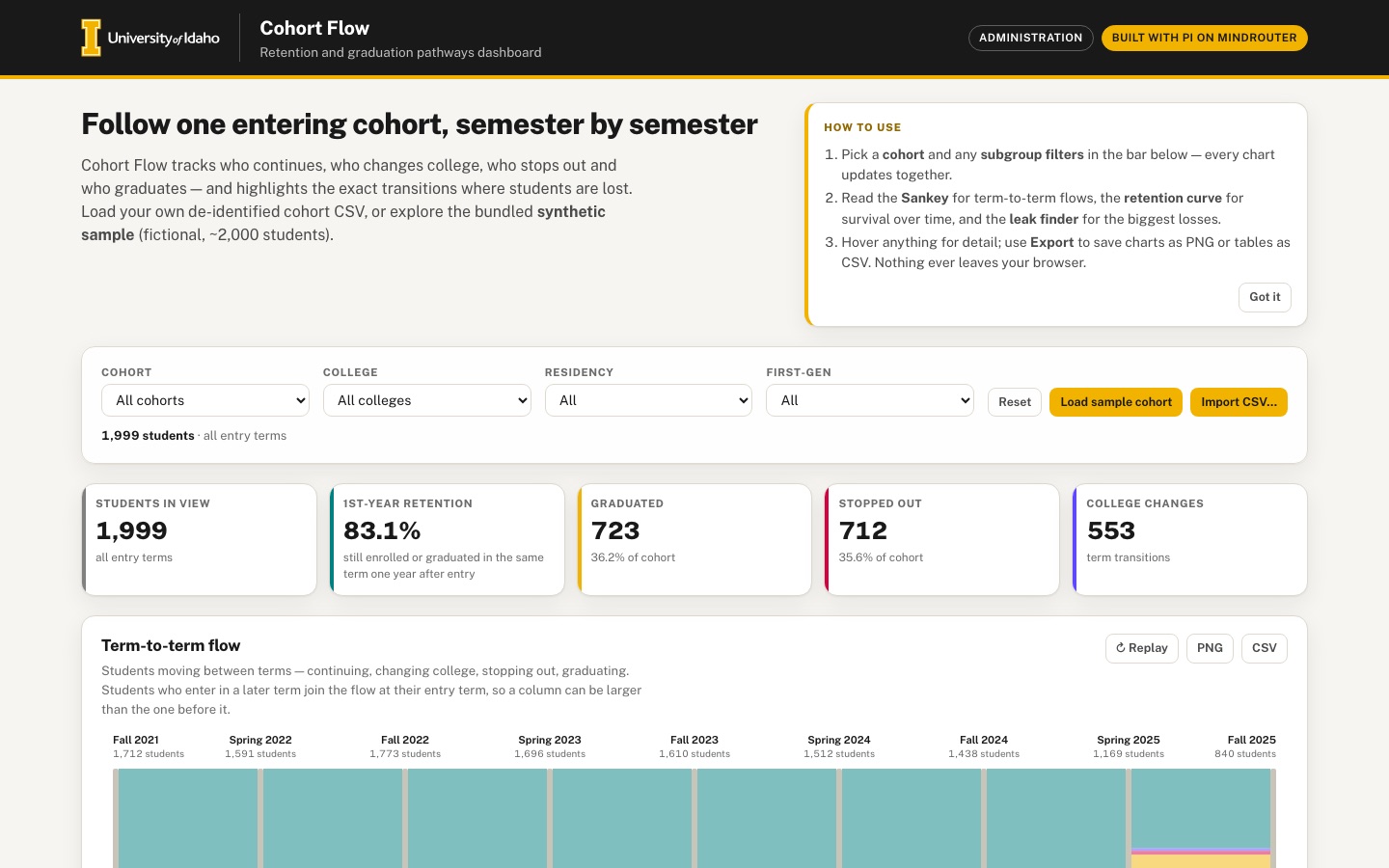 Desktop · click to enlarge

What it is ✎ blurb written by the AI critic
Cohort Flow follows students who entered in a given term through every later semester and shows who continues, changes college, stops out or graduates. It ships with a clearly labeled fictional sample of 1,999 students, and you can import your own de-identified cohort CSV, which never leaves the browser. Published IPEDS retention and graduation rates for the University of Idaho sit alongside for context.
Try this
- Hover the top rows of the Leak finder and watch the matching stopped-out flow light up in the Sankey above.
- Set 'Compare by' on the retention curve to College, then hover a college name in the legend to see its line on its own.
- Click the Engineering card under 'Small multiples by college' to filter every chart to that college, then click it again to clear the filter.
Highlights ✎ written by the AI critic
- Hand-drawn SVG Sankey of term-to-term flows with a draw-in animation, hover tooltips and PNG/CSV export
- One filter bar (cohort, college, residency, first-gen) plus clickable college cards cross-filter the KPIs, Sankey, retention curve, leak finder and small multiples
- Retention curve aligned by terms since entry, with 95% confidence bands and comparison by cohort, college, residency or first-gen; hover a legend entry to pull one group out of the bundle
- Leak finder ranks the transitions, or college-by-transition pairs, that lose the most students, and hovering a row lights up that flow in the Sankey
- In-browser CSV import with automatic column and status mapping, and a warning plus one-click drop for name- or email-looking columns
Who it's for
Institutional research, student success teams, college deans and chairs
Features
- CSV import with column mapping and a built-in de-identification check (warns about name/email-looking columns)
- Animated Sankey diagram of term-to-term flows (continuing, changed college, stopped out, graduated), drawn in SVG by hand
- Retention curve by cohort and subgroup (college, residency, first-gen flag if present) with confidence bands
- 'Leak finder' ranking of transitions with the largest losses
- Small multiples by college and a filter bar that cross-filters every chart
- Export charts as PNG and aggregated tables as CSV; nothing leaves the browser
Data & sources
- nces.ed.gov
- nces.ed.gov
- nces.ed.gov
- nces.ed.gov
- nces.ed.gov
- Synthetic sample cohort (fictional, 1,999 students) generated deterministically by the harness-written scripts/generate_sample_cohort.py
How it was built
Written by Pi 0.84.4 (pi.dev) on qwen/qwen3.8-27b, served by MindRouter, the University of Idaho's on-premises AI platform.
Rounds by kind
| build | 1 |
| continue | 13 |
| feedback | 13 |
| critic | 4 |
Lines of code per file
| body html | 239 |
| app css | 217 |
| app js | 1,831 |
| scripts | 312 |
Critic scores ✎ scored by the independent AI critic, 1–10
Independent audits ✎ by the AI critic
Automated checks
Checked by critic-verify.
Data spot checks ✎ written by the AI critic
- Benchmarks card, first-year retention Fall 2023 -> Fall 2024: full-time 76%, part-time 18%. Raw ipeds_profile_142285_subject10 JSON (table ef_d): ret_pcf valueRaw 76, ret_pcp valueRaw 18. MATCH
- Bachelor's graduation, Fall 2016 cohort, 4/6/8-year: 41/61/63%. Raw subject10: BAGR100 41, BAGR150 61, BAGR200 63. MATCH
- 150% graduation, Fall 2018 cohort: overall 57%, Men 54%, Women 61%, transfer-out 21%. Raw subject10: grad_rate_total 57, grad_rate_men 54, grad_rate_women 61, transfer_rate_total 21. MATCH
- 150% graduation by aid, Fall 2018: Pell 49.3%, Stafford only 56.7%, neither 64.8%. Raw subject10 series valueRaw 49.3 / 56.7 / 64.8. MATCH
- Sources text, 2016-17 entrants 8 years after entry: award 62%, still enrolled 1%, enrolled elsewhere 21%. Raw subject11: OMAWDP8 62, OMENRYP 1, OMENRAP 21. MATCH
Round-by-round timeline
Every harness round, in order. The prompts and FEEDBACK.md were written by the AI reviewer; the app code was written by the harness. Expand a round to see the exact prompt and the FEEDBACK.md the harness received.
-
CSV import cannot be reached. The sample cohort loads automatically, so the empty state is hidden, and the only "Import CSV…" button (
#empty-open-import) is inside it. No visible button anywhere opens the import dialog. Expected: a prominent, always-visible "Import CSV" button (in the filter bar next to "Load sample cohort", or in the dashboard header). -
CSV import maps and parses real files wrongly. Test file headers:
StudentID, Full Name, Email Address, Entry Term, Term, Major College, Enrollment Status, Residency, FirstGen. Term values are likeFall 2021,Spring 2022. Status values areContinuing,Changed college,Stopped out.-
The TERM field is auto-mapped to the "Entry Term" column instead of the "Term" column. An exact header match must win.
-
After "Use this data", the app shows 120 students but only 1 term. The Sankey is empty, 1st-year retention shows 0.0% and the leak finder says "No transitions to analyze".
-
The note "371 row(s) have a missing or duplicate student key" is wrong. In long format (one row per student per term) a key naturally repeats. Only flag empty keys or duplicate (key, term) pairs.
-
"Status values to review: changed college — these will be treated as 'enrolled'" is wrong:
Changed collegeshould count as changed college. Recognize common spellings (continuing/enrolled, changed college/major, stopped out/withdrawn/not enrolled, graduated/completed). Add a small status value-mapping step where each distinct status value can be assigned to Continuing / Changed college / Stopped out / Graduated. -
Terms written
Fall 2021or2021-Fall(or202180-style codes) must both sort chronologically, with Spring before Fall in the same year. -
The Data & sources text afterwards reads "Imported Imported CSV: 120 students, 1 terms" (duplicated word, "1 terms").
-
The de-identification warning itself is good. Also offer a one-click "drop these columns" option.
-
-
Console errors. Choosing Cohort = "2022-Fall" logs
Error: <polygon> attribute points: Expected number, "46,NaN 111.25,NaN 1…".The error comes from the retention-curve confidence band. For a later cohort the curve should start at that cohort's entry term, with no NaN points and no console errors for any filter combination. -
The Sankey diagram does not look polished yet (Term-to-term flow card, 1440 px):
-
The node bars are opaque black rectangles as tall as the whole flow. They dominate the chart and hide the flows. Use slim nodes in brand/series colours.
-
Term labels are drawn on top of the node bars: "2022-Spring" has the bar running through it. The first column's labels are clipped at the left edge ("21-Fall", "pped out", "1 students").
-
The last two columns ("2025-Spring", "2025-Fall") are squeezed together, so their labels and student counts overlap. The columns should be evenly spaced.
-
"Stopped out" / "Graduated" exit nodes are tiny squares whose labels overlap the bars. Stack exit flows neatly below each column with readable labels.
-
Continuing is one flat teal slab, and the changed-college flows are invisible hairlines. Make the four flow types clearly distinguishable, split continuing vs changed-college visibly, and give a minimum visible width to small flows.
-
Hovering a flow shows a tooltip (good) but does not highlight it. Expected: the hovered flow and its nodes are emphasised and the others dimmed.
-
The draw-in animation plays on Replay (good). When filters change, the flows should animate or morph to their new sizes instead of redrawing instantly.
-
There is about 100 px of empty space under the flows inside the SVG.
-
-
The retention curve has no subgroup comparison (required: "by cohort and subgroup (college, residency, first-gen flag) with confidence bands"). It only draws one "Overall" line.
-
Expected: a "Compare by" control (None / Cohort / College / Residency / First-gen) that draws one coloured line plus a 95% CI band per group, with a legend.
-
The first point should be 100% at the entry term; it currently starts at ~93%.
-
The y-axis label "100%" is clipped at the left edge, and the rotated x-axis labels are clipped ("21-Fall", "022-Spring").
-
The benchmark labels "IPEDS 1st-yr retention 76%" and "IPEDS 6-yr grad 61%" sit directly on their dashed lines, so the lines strike through the text.
-
Hovering the chart shows nothing (
#curve-tipstays empty). Expected: a vertical guide line with each series' value and n at that term. -
The CI band is almost invisible; make it a clearly visible translucent band.
-
-
The metrics contradict each other.
-
The KPI tile says "1ST-YEAR RETENTION 93.1% — returned next term", which is term-to-term, not first-year retention.
-
The retention curve ends near 66% at 2025-Fall, but every small multiple says "23–32% retention at last term".
-
Define each metric once and use it consistently in the KPIs, curve and multiples. For example: first-year retention = enrolled in the Fall one year after entry; retained = still enrolled or graduated. Add a short subtitle saying what is counted.
-
-
No state for zero or tiny groups. Cohort 2022-Fall + College Law + Residency International gives "0 students". The KPIs, Sankey, retention curve, leak finder, small multiples and benchmarks all disappear, leaving the filter bar followed directly by Data & sources.
-
Expected: a friendly in-place message ("No students match these filters") with a Reset button.
-
Groups under ~30 students should show a small-sample caution.
-
Use "1 student", not "1 students".
-
-
The leak finder is a static list. Clicking or hovering a row does nothing.
-
Expected: hovering or clicking a row highlights that transition in the Sankey.
-
Each row should show the split of the loss (stopped out vs changed college).
-
Add a toggle to rank transition × college pairs (e.g. "Engineering · Fall 2021 → Spring 2022 · 18% stopped out") so it really finds where students are lost.
-
-
Small multiples: the sparklines have no shared scale reference.
-
Add a faint 50%/100% gridline and the start/end term labels.
-
Visually mark the card of the currently selected college.
-
Clicking the selected card again should clear the college filter. (Clicking a card to filter already works.)
-
-
Published benchmarks card bugs.
-
"150% graduation by aid" shows "Pell undefined%"; the value should be 49.3%.
-
All benchmark bars are empty grey tracks with no fill (e.g. Full-time 76% has an empty bar). Fill them to the right width in gold/teal.
-
-
The primary button has no fill. "Load sample cohort" (
.btn--gold) in the filter bar renders as plain black text with no Pride Gold background until it is hovered or focused. Primary buttons must always show the gold fill. -
Phone (390 × 844) problems.
-
The sticky filter bar takes ~235 px of the 844 px screen and covers chart content while scrolling. On narrow screens make it non-sticky, or collapse it into a compact "Filters" button or drawer.
-
The Sankey is 640 px wide inside a 316 px scroll box. It is cut off mid-label with no hint that it scrolls. Make it fit the phone width, or show a clear scroll cue with sticky term labels.
-
The retention curve's y-axis and x-axis labels are clipped at 390 px.
-
-
Exports. The PNG buttons and the leak CSV work. The spec asks for "aggregated tables as CSV", so also offer CSV for:
-
the Sankey flow table (from term → to term, status, count)
-
the retention curve points (group, term, n, rate, CI low/high)
-
the small-multiples table (college, n, retention) Label the export buttons clearly (e.g. "PNG" and "CSV" next to each other on every chart card).
-
-
Term labels. Show terms as "Fall 2021" / "Spring 2022" everywhere (currently "2021-Fall").
-
Motion. When filters change, the KPIs, bars and curves update instantly. Add smooth 200–300 ms transitions (numbers counting, bars and lines easing) so the dashboard feels alive, and respect
prefers-reduced-motion. -
CSV import cannot be reached. The sample cohort loads automatically, so the empty state is hidden, and the only "Import CSV…" button (
#empty-open-import) is inside it. No visible button anywhere opens the import dialog. Expected: a prominent, always-visible "Import CSV" button (in the filter bar next to "Load sample cohort", or in the dashboard header). -
CSV import maps and parses real files wrongly. Test file headers:
StudentID, Full Name, Email Address, Entry Term, Term, Major College, Enrollment Status, Residency, FirstGen. Term values are likeFall 2021,Spring 2022. Status values areContinuing,Changed college,Stopped out.-
The TERM field is auto-mapped to the "Entry Term" column instead of the "Term" column. An exact header match must win.
-
After "Use this data", the app shows 120 students but only 1 term. The Sankey is empty, 1st-year retention shows 0.0% and the leak finder says "No transitions to analyze".
-
The note "371 row(s) have a missing or duplicate student key" is wrong. In long format (one row per student per term) a key naturally repeats. Only flag empty keys or duplicate (key, term) pairs.
-
"Status values to review: changed college — these will be treated as 'enrolled'" is wrong:
Changed collegeshould count as changed college. Recognize common spellings (continuing/enrolled, changed college/major, stopped out/withdrawn/not enrolled, graduated/completed). Add a small status value-mapping step where each distinct status value can be assigned to Continuing / Changed college / Stopped out / Graduated. -
Terms written
Fall 2021or2021-Fall(or202180-style codes) must both sort chronologically, with Spring before Fall in the same year. -
The Data & sources text afterwards reads "Imported Imported CSV: 120 students, 1 terms" (duplicated word, "1 terms").
-
The de-identification warning itself is good. Also offer a one-click "drop these columns" option.
-
-
Console errors. Choosing Cohort = "2022-Fall" logs
Error: <polygon> attribute points: Expected number, "46,NaN 111.25,NaN 1…".The error comes from the retention-curve confidence band. For a later cohort the curve should start at that cohort's entry term, with no NaN points and no console errors for any filter combination. -
The Sankey diagram does not look polished yet (Term-to-term flow card, 1440 px):
-
The node bars are opaque black rectangles as tall as the whole flow. They dominate the chart and hide the flows. Use slim nodes in brand/series colours.
-
Term labels are drawn on top of the node bars: "2022-Spring" has the bar running through it. The first column's labels are clipped at the left edge ("21-Fall", "pped out", "1 students").
-
The last two columns ("2025-Spring", "2025-Fall") are squeezed together, so their labels and student counts overlap. The columns should be evenly spaced.
-
"Stopped out" / "Graduated" exit nodes are tiny squares whose labels overlap the bars. Stack exit flows neatly below each column with readable labels.
-
Continuing is one flat teal slab, and the changed-college flows are invisible hairlines. Make the four flow types clearly distinguishable, split continuing vs changed-college visibly, and give a minimum visible width to small flows.
-
Hovering a flow shows a tooltip (good) but does not highlight it. Expected: the hovered flow and its nodes are emphasised and the others dimmed.
-
The draw-in animation plays on Replay (good). When filters change, the flows should animate or morph to their new sizes instead of redrawing instantly.
-
There is about 100 px of empty space under the flows inside the SVG.
-
-
The retention curve has no subgroup comparison (required: "by cohort and subgroup (college, residency, first-gen flag) with confidence bands"). It only draws one "Overall" line.
-
Expected: a "Compare by" control (None / Cohort / College / Residency / First-gen) that draws one coloured line plus a 95% CI band per group, with a legend.
-
The first point should be 100% at the entry term; it currently starts at ~93%.
-
The y-axis label "100%" is clipped at the left edge, and the rotated x-axis labels are clipped ("21-Fall", "022-Spring").
-
The benchmark labels "IPEDS 1st-yr retention 76%" and "IPEDS 6-yr grad 61%" sit directly on their dashed lines, so the lines strike through the text.
-
Hovering the chart shows nothing (
#curve-tipstays empty). Expected: a vertical guide line with each series' value and n at that term. -
The CI band is almost invisible; make it a clearly visible translucent band.
-
-
The metrics contradict each other.
-
The KPI tile says "1ST-YEAR RETENTION 93.1% — returned next term", which is term-to-term, not first-year retention.
-
The retention curve ends near 66% at 2025-Fall, but every small multiple says "23–32% retention at last term".
-
Define each metric once and use it consistently in the KPIs, curve and multiples. For example: first-year retention = enrolled in the Fall one year after entry; retained = still enrolled or graduated. Add a short subtitle saying what is counted.
-
-
No state for zero or tiny groups. Cohort 2022-Fall + College Law + Residency International gives "0 students". The KPIs, Sankey, retention curve, leak finder, small multiples and benchmarks all disappear, leaving the filter bar followed directly by Data & sources.
-
Expected: a friendly in-place message ("No students match these filters") with a Reset button.
-
Groups under ~30 students should show a small-sample caution.
-
Use "1 student", not "1 students".
-
-
The leak finder is a static list. Clicking or hovering a row does nothing.
-
Expected: hovering or clicking a row highlights that transition in the Sankey.
-
Each row should show the split of the loss (stopped out vs changed college).
-
Add a toggle to rank transition × college pairs (e.g. "Engineering · Fall 2021 → Spring 2022 · 18% stopped out") so it really finds where students are lost.
-
-
Small multiples: the sparklines have no shared scale reference.
-
Add a faint 50%/100% gridline and the start/end term labels.
-
Visually mark the card of the currently selected college.
-
Clicking the selected card again should clear the college filter. (Clicking a card to filter already works.)
-
-
Published benchmarks card bugs.
-
"150% graduation by aid" shows "Pell undefined%"; the value should be 49.3%.
-
All benchmark bars are empty grey tracks with no fill (e.g. Full-time 76% has an empty bar). Fill them to the right width in gold/teal.
-
-
The primary button has no fill. "Load sample cohort" (
.btn--gold) in the filter bar renders as plain black text with no Pride Gold background until it is hovered or focused. Primary buttons must always show the gold fill. -
Phone (390 × 844) problems.
-
The sticky filter bar takes ~235 px of the 844 px screen and covers chart content while scrolling. On narrow screens make it non-sticky, or collapse it into a compact "Filters" button or drawer.
-
The Sankey is 640 px wide inside a 316 px scroll box. It is cut off mid-label with no hint that it scrolls. Make it fit the phone width, or show a clear scroll cue with sticky term labels.
-
The retention curve's y-axis and x-axis labels are clipped at 390 px.
-
-
Exports. The PNG buttons and the leak CSV work. The spec asks for "aggregated tables as CSV", so also offer CSV for:
-
the Sankey flow table (from term → to term, status, count)
-
the retention curve points (group, term, n, rate, CI low/high)
-
the small-multiples table (college, n, retention) Label the export buttons clearly (e.g. "PNG" and "CSV" next to each other on every chart card).
-
-
Term labels. Show terms as "Fall 2021" / "Spring 2022" everywhere (currently "2021-Fall").
-
Motion. When filters change, the KPIs, bars and curves update instantly. Add smooth 200–300 ms transitions (numbers counting, bars and lines easing) so the dashboard feels alive, and respect
prefers-reduced-motion. -
Imported terms are sorted wrongly (not chronological). Import a CSV whose Term values are
Fall 2021, Spring 2022, Fall 2022, Spring 2023, Fall 2023, Spring 2024.-
The Sankey columns and the retention-curve x-axis come out as Fall 2021, Fall 2022, Spring 2022, Fall 2023, Spring 2023, Spring 2024.
-
The curve therefore zig-zags, and the rank-by-college leak finder shows impossible transitions such as "Business · Spring 2023 → Spring 2024" and "Engineering · Spring 2022 → Fall 2023".
-
Expected: parse every term to (year, season) and sort by year, then Spring < Summer < Fall, for
Fall 2021,2021-Fall,2021 Fall,FA21,202180-style codes. -
The Data & sources text still says "Imported Imported CSV: 120 students, 6 terms" (the word is duplicated).
-
-
The retention curve is not a proper survival curve.
-
With "All cohorts" it mixes the Fall 2021 and Fall 2022 cohorts by calendar term, so retention goes up from Spring 2022 (~74%) to Fall 2022 (~84%).
-
It also starts at ~80% instead of 100% at entry.
-
Expected: align students by terms since entry (x-axis "Entry, Term 2, Term 3 …", or "Year 1 Fall/Spring"). The first point is 100% and every curve is non-increasing.
-
Then Compare by = Cohort shows each cohort as its own line on the same aligned axis.
-
-
Sankey layout at 1440 px is still essentially unchanged.
-
The node bars are still thick dark rectangles running the full height of the flow.
-
The term labels ("Spring 2022", "Fall 2022" …) are still drawn on top of the bars, so the bar cuts through the text.
-
The first column's labels are clipped at the left edge ("al 2021", "pped out", "1 students").
-
The last two columns are still squeezed together, so "Spring 2025" and "Fall 2025" and their counts overlap ("1,169 stud840 students").
-
"Stopped out / Graduated" labels overlap the bars, and ~100 px of empty space remains under the flows.
-
Expected layout:
-
a margin of about 70 px on both sides
-
term names in a header row above the plot, centred over each column, with student counts right under them
-
nodes 10–12 px wide in a mid-grey, never black
-
all columns (including the last term) evenly spaced across the full width
-
exits (stopped out, graduated) as coloured stubs just below each column, with labels in their own lane that doesn't touch the bars
-
SVG height fitted to the content
-
-
-
Sankey on phone (390 px) is unreadable.
-
All 9 columns are squeezed into 320 px, so the term labels merge into one garbled line ("2021202220222023…") and the dark bars dominate.
-
The "← scroll for more terms →" hint is shown, but the box does not scroll (its scroll width is 320 px, the same as its width).
-
Expected: below ~700 px give each column at least ~110 px and make the wrapper really scroll horizontally, with readable labels. Alternatively draw the Sankey top-to-bottom. Labels must never overlap.
-
-
Stale content in the no-match state and after data changes.
-
Cohort Fall 2022 + Law + International shows the "No students match these filters" card (good). But below it the Sankey still shows a faded old diagram, with a stuck tooltip "Continuing · Fall 2022 → 2023-Spring · 1,531".
-
The leak finder still lists old rows ("Spring 2023 → Fall 2023 · 1 · 16.7% of 6").
-
After clicking a leak row and then importing a CSV, the Sankey stays dimmed because the old leak highlight is never cleared.
-
Expected: while nothing matches, hide the chart cards (or show them empty). Hide tooltips whenever data or filters change. Clear the leak highlight on any data or filter change, and clicking the highlighted row again should clear it.
-
-
Retention curve readability.
-
The y-axis label "100%" is still clipped on desktop ("l00%"). On phone every y label is clipped ("00%", "'5%", "i0%", "!5%").
-
The rotated x labels are clipped on desktop ("all 2021", "ring 2022"). On phone they show only years ("2021 2022 2022 2023…"), which is ambiguous.
-
Increase the left and bottom padding. On phone use short labels (e.g. "F21", "S22", or "T1", "T2" once item 2 is done) and skip labels when crowded.
-
The benchmark labels still collide with the data: "IPEDS 6-yr grad 61%" is crossed by the curve on desktop, and "IPEDS 1st-yr retention 76%" overlaps the curve on phone. Put the benchmark values outside the plot area (right margin) or only in the legend.
-
Compare by = College draws the group lines dashed, the same style as the benchmark lines. Make the group lines solid and keep dashes for benchmarks only.
-
Engineering and "IPEDS benchmarks" are both the same orange. Arts and Letters, Natural Sciences and Nursing are hard to tell apart. Use clearly distinct series colours, and a neutral dark grey for benchmarks.
-
With 7 groups the overlapping bands become a muddle. Hovering or clicking a legend item should highlight that group and dim the others.
-
-
The leak finder rows don't show the loss split.
-
The default rows show only "121 · 7.1% of 1,712"; there is no stopped-out vs changed-college split. Expected: a two-colour stacked bar (stopped out = raspberry, changed college = lupine) with a small legend.
-
In "Rank by college" mode the right-hand text "of 132 in college" wraps onto 3 lines, making rows very tall. Keep it to one line.
-
Tiny groups ("42.1% of 19 in college" after import) outrank real problems. Apply a minimum group size (e.g. n ≥ 30, with a note), or mark small groups with the small-sample caution.
-
-
Term formats are mixed. The Sankey tooltip says "Fall 2022 → 2023-Spring", mixing both formats. Use "Fall 2022 → Spring 2023" everywhere, including all tooltips.
-
Imported terms are sorted wrongly (not chronological). Import a CSV whose Term values are
Fall 2021, Spring 2022, Fall 2022, Spring 2023, Fall 2023, Spring 2024.-
The Sankey columns and the retention-curve x-axis come out as Fall 2021, Fall 2022, Spring 2022, Fall 2023, Spring 2023, Spring 2024.
-
The rank-by-college leak finder then shows impossible transitions such as "Business · Spring 2023 → Spring 2024".
-
Expected: one term-parsing function that turns
Fall 2021,2021-Fall,2021 Fall,FA21and202180-style codes into (year, season), sorted by year and then Spring < Summer < Fall. Use it everywhere terms are ordered. -
The Data & sources text says "Imported Imported CSV: 120 students, 6 terms"; the word is duplicated.
-
-
The retention curve is not a proper survival curve.
-
With "All cohorts" it mixes the Fall 2021 and Fall 2022 cohorts by calendar term, so retention goes up from Spring 2022 (~74%) to Fall 2022 (~84%).
-
It starts at ~80% instead of 100%.
-
Expected: align each student by terms since their own entry term and label the x-axis "Entry", "Term 2", "Term 3", …. The first point is 100% and every line is non-increasing.
-
Compare by = Cohort then shows each cohort as a separate line on this aligned axis. Update the curve CSV export to match (group, term_index, n, rate, ci_low, ci_high).
-
-
Stale content in the no-match state.
-
Cohort Fall 2022 + College Law + Residency International shows the "No students match these filters" card (good). But under it the Sankey still shows a faded old diagram with a stuck tooltip "Continuing · Fall 2022 → 2023-Spring · 1,531".
-
The leak finder still lists old rows ("Spring 2023 → Fall 2023 · 1 · 16.7% of 6").
-
Expected: while nothing matches, hide the chart cards (Sankey, curve, leak finder, small multiples) and show only the no-match card.
-
-
Stuck highlight and tooltips.
-
After clicking a leak-finder row and then changing a filter or importing a CSV, the Sankey stays dimmed because the leak highlight is never cleared.
-
Expected: clear the leak highlight and hide every tooltip whenever the data or any filter changes. Clicking the highlighted leak row again should also clear it.
-
-
Mixed term formats. The Sankey tooltip says "Fall 2022 → 2023-Spring". Use the same display format ("Fall 2022 → Spring 2023") in every tooltip and label.
-
The leak finder rows don't show the loss split.
-
Default rows show only "121 · 7.1% of 1,712". Expected: a two-colour stacked bar (stopped out = raspberry, changed college = lupine) plus a small legend above the list.
-
In "Rank by college" mode the right-hand text "of 132 in college" wraps onto 3 lines. Keep it to one line (e.g. "n = 132").
-
Small groups ("42.1% of 19 in college") outrank real problems. Only rank groups with at least 30 students, and add a one-line note saying so.
-
-
Terms must be ordered chronologically and shown in one format.
-
Import a CSV whose Term values are
Fall 2021, Spring 2022, Fall 2022, Spring 2023, Fall 2023, Spring 2024. The Sankey columns and the retention-curve x-axis come out as Fall 2021, Fall 2022, Spring 2022, Fall 2023, Spring 2023, Spring 2024 (sorted as text, not by date). -
Expected: a single helper that turns
Fall 2021,2021-Fall,2021 Fall,FA21and202180-style codes into a sortable key (year × 10 + season, with Spring = 1, Summer = 2, Fall = 3) and a display label ("Fall 2021"). Use that helper wherever terms are sorted or labelled: filters, Sankey, curve, leak finder, tooltips. -
The Sankey tooltip currently mixes formats: "Fall 2022 → 2023-Spring". It should read "Fall 2022 → Spring 2023".
-
After an import, the Data & sources text reads "Imported Imported CSV: 120 students, 6 terms"; the word "Imported" is duplicated.
-
-
Code:
retentionSeries(~line 639),renderCurve(~694),renderMultiples(~972),exportCurveCSV(~1232),exportMultiplesCSV(~1245). Graduates drop out of the numerator. A graduate has no rows after graduating, so later terms count them as lost. With "All cohorts" the curve ends at 40.7% at Fall 2025, and the multiples show Arts and Letters 41%. The correct "still enrolled or graduated" values are 64.2% and 57%. -
Rule: once a student has a
graduatedrow, count them as graduated in every later term too. A student counts as retained in a term if their row there isenrolledorchanged_college, or if they graduated in or before that term. -
Cohorts are mixed by calendar term. The line rises from Spring 2022 (74%) to Fall 2022 (85%). Instead, align every student by terms since their own entry term.
-
Label the x-axis "Entry", "+1", "+2", … ("+2 = one year").
-
The denominator at step k is the students whose entry term plus k is still inside the data.
-
-
Expected with the sample and All cohorts: Entry 93.1%, +1 87.2%, +2 83.1%, +3 78.9%, +4 74.3%, +5 70.5%, +6 67.2%, +7 65.2% (n=1,712), +8 64.2%. The line never rises.
-
Compare by = Cohort: the Fall 2022 cohort line stops at +6 (65.5%).
-
-
The curve tooltip currently shows "79.6% (n=1,591)", where 1,591 is the retained count. Show "93.1% · 1,862 of 1,999".
-
The curve CSV should have columns group, step, n_retained, n_total, rate, ci_low, ci_high.
-
Small multiples: use the same aligned rule. Label each card's rate "retained or graduated at last term".
-
Code:
layoutSankey(~362),renderSankey(~428). Node bars: term nodes are 14 px near-black bars as tall as the whole flow, and they dominate the chart. Make them thin (6 px) and a light neutral colour. -
Labels: term labels are drawn on top of the bars. The first column's label is clipped ("all 2021", "2 students"), and "Spring 2025" collides with "Fall 2025".
-
Put every term label and count in a label band above the columns.
-
Centre each label on its column, but left-align the first column and right-align the last.
-
Keep enough side padding that nothing is clipped.
-
-
Exit links run backwards. An exit link starts at the term node's right edge and ends at x = the same column's left edge. Place each exit node ("Stopped out", "Graduated") about 40% of the way toward the next column, below the flow, so the link runs left to right.
-
Stack exit labels with at least 26 px between them. Today "Stopped out 73" and "Graduated 196" overlap.
-
-
Height: there is about 100 px of empty space under the flows. Compute the SVG height from the tallest column stack plus the label band and padding.
-
Code:
computeLeaks(~842),computeLeakPairs(~870),renderLeaks(~901),highlightSankeyTransition(~595). Hovering the row "Fall 2021 → Spring 2022 · 121" highlights the Sankey link for that transition, which shows 105 students. The leak finder counts students whose stopped-out row is in the earlier term, while the Sankey puts the loss on the transition into the stopped-out term. -
Use the Sankey's rule. A row (term t−1 → term t) counts students who were enrolled or changed college at t−1 and either have a
stopped_outrow at t or have no row at t (and did not graduate).-
Changed college at t is a separate count, not a loss.
-
Expected top rows: Fall 2021 → Spring 2022 = 105 lost of 1,591 (78 changed college); Spring 2023 → Fall 2023 = 98 of 1,610; Fall 2022 → Spring 2023 = 86 of 1,696.
-
-
Add a "first term" row per entry term for students whose entry-term row is already
stopped_out: "Fall 2021 · first term" = 121, and "Fall 2022 · first term" = 16. Hovering it highlights that column's "Stopped out" exit link. -
Split each bar in two colours: raspberry for stopped out, lupine for changed college. Add a small legend above the list. The "changed college" count is currently always 0.
-
Code:
renderSankey(~431 width logic);src/app.css.sankey-wrap/#sankey(~102–114). At 390 px all 9 columns are squeezed into 320 px. The labels merge into "20222023202320…", and the "← scroll for more terms →" hint shows but the box does not scroll (scrollWidth 320, clientWidth 316). -
Below 700 px, draw the SVG at least 110 px per column wide (about 1,000 px) inside the horizontally scrolling
.sankey-wrap. Keep the full "Fall 2022" labels. -
Show the scroll hint only when the content really overflows.
-
Code:
renderCurve(~694),nextColor(~826). The left margin is too small: "100%" is clipped on desktop, and every y label is clipped on the phone. Use a left margin of at least 44 px. -
With the "Entry, +1, …" axis from item 1, the x labels no longer need rotating. Remove the rotation.
-
Group lines are dashed like the benchmark lines. Make all data series solid; only benchmarks should be dashed.
-
Colours repeat: Engineering and the IPEDS benchmark lines are both
#AB4700. Give the 7 colleges 7 distinct colours, none equal to the benchmark colour. -
Benchmarks: the benchmark labels sit on top of the data lines.
-
Draw the IPEDS first-year retention benchmark (76%) as a short dashed marker only around step +2, with its label placed clear of the lines.
-
Remove the 6-year graduation line from this chart. It measures a different thing, and it is already in the benchmarks card.
-
-
Code:
TERM_SEM_ORDER/parseTerm(~90–109),applyImport(~1546–1548). Importing a CSV with terms "Fall 2021, Spring 2022, Fall 2022, …" gives columns Fall 2021, Fall 2022, Spring 2022, Fall 2023, Spring 2023, Spring 2024.-
TERM_SEM_ORDERranks fall=0 and spring=1 within a year, but Spring 2022 comes before Fall 2022. -
Within a calendar year the order should be Winter < Spring < Summer < Fall.
-
-
Afterwards the leak finder should show only consecutive, real transitions.
-
The Data & sources text says "Imported Imported CSV: 120 students…". Remove the duplicated word (~1561).
-
Drop these columns should visibly work: remove the dropped columns from the preview table and replace the warning with "Dropped: Full Name, Email Address".
-
Code:
renderAll(~1572),clearSankeyHighlight(~607). Cohort Fall 2022 + Business + International + First-gen No shows the "No students match these filters" card. Under it, the old Sankey, curve, leak rows and multiples from the previous selection stay visible (for example a Sankey of "1 student" columns).-
While nothing matches, hide every chart card and show only the no-match card.
-
-
On every
renderAll, and whenever data is loaded or imported, clear the leak highlight (sankeyHover, and the.is-activeleak row) and hide both tooltips. -
Code:
computeLeakPairs(~870),renderLeaks(~901). Only rank college groups with at least 30 students present. Add a one-line note: "Groups under 30 students are not ranked." -
The right-hand text "of 132 in college" wraps onto three lines. Show it on one line as "n = 132".
-
Code:
attachLinkTip(~552),exportSankeyCSV(~1220). The Sankey tooltip says "Fall 2022 → 2023-Spring". Pass thetoterm throughtermLabel, so it reads "Fall 2022 → Spring 2023". -
Use "Fall 2022"-style labels in every tooltip, label and leak row. The CSV exports may keep the raw term codes.
-
Two bugs: Graduates are counted as lost. A graduate has no rows after their graduation term, so every later term counts them as not retained. With All cohorts the curve ends at 40.7%; the correct value is 64.2%.
-
Cohorts are mixed by calendar term. The loop runs over calendar terms from the earliest entry term, so the Fall 2022 entrants join the denominator in the wrong place and the line rises from Spring 2022 (74%) to Fall 2022 (85%).
-
Rewrite only this function so that it aligns every student by terms since their own entry term: For step k = 0, 1, 2, …: a student counts toward step k only if
termIndex(entry_term) + kis still insidemodel.terms. That is the denominatorNfor step k. -
The student is retained at step k if their status at that term is
enrolledorchanged_college, or they have agraduatedrow at that term or any earlier term. Graduates stay counted as retained after they graduate. -
Stop adding steps when no student is left in the denominator.
-
Keep the return shape the rest of the code uses:
{ n: ss.length, e0: 0, pts: [...] }, where each point is{ i: k, n: retainedCount, N: denominatorAtStepK, ci: wilson(retainedCount, denominatorAtStepK) }. Note thatNnow changes per step. -
Move
var groups = curveGroups(students);(line 733) up so it runs before the axes are drawn (keep the no-students early return working). -
The number of x positions is the length of the longest group's
series.pts(notmodel.terms.length). Use it inx()and in the hover index calculation (line 795). In the hover handler usegrp.series.pts[idx]. -
X labels:
Entry,+1,+2, … (one per step). Remove the rotation (lines 717 and 721–723). Below the labels add a small centred axis caption:Terms since entry (+2 = one year). The bottom marginm.bcan then be 44 on every width. -
Tooltip (line 804-806): the title is
Entry termfor step 0 and+k termsotherwise; each row shows93.1% · 1,862 of 1,999(rate ·o.nofo.N) instead of79.6% (n=1,591). -
Group lines must be solid. Delete the
stroke-dasharrayon the series polyline (line 774). Only benchmark lines stay dashed. -
exportCurveCSV()(src/app.js lines 1232–1243): columns must begroup,step,n_retained,n_total,rate,ci_low,ci_high. Use the step number (0, 1, 2 …),o.nando.N. Expected first data row:Overall,0,1862,1999,93.15%,92.00%,94.19%(small rounding differences are fine). -
src/body.htmlline 103: change the subtitle toShare of each entering cohort still enrolled or already graduated, by terms since entry, with 95% confidence bands. Dashed lines: published IPEDS benchmarks. -
src/app.css: the curve's tick labels are drawn at the browser default 16 px because.lbl/.lbl-subare only styled under.sankey(lines 106–107). That is why "100%" is clipped on desktop and every y label is clipped on the phone. After line 87 (svg.chart { … }) add rules so thatsvg.chart .lbl-subisfont-size: 11px; fill: var(--muted); font-variant-numeric: tabular-nums;andsvg.chart .lblisfont-size: 11px; font-weight: 650; fill: var(--text);. -
Today Arts and Letters shows 41% because graduates are counted as lost after they graduate. The correct value is 57%.
-
Sparkline: plot the same aligned series as the curve, i.e.
retentionSeries(ss).ptsmapped too.ci.p. Remove the calendar-term loop and thee0variable. -
Headline rate (
.multi__rate): the share of the college's students who, at the last term of the data (model.terms.length - 1), have statusenrolledorchanged_college, or have agraduatedrow in that term or any earlier term. -
Footer text:
462 students · enrolled or graduated by Fall 2025(usetermLabelof the last term). Keep the⚠ small samplesuffix for groups under 30. -
exportMultiplesCSV(): use the same headline rule, with columnscollege,n,retained_or_graduated_at_last_term. -
Expected with All cohorts: Arts and Letters 57%, Business 64%, Education 60%, Engineering 71%, Law 65%, Natural Sciences 65%, Nursing and Health Sciences 70%. Cohort Fall 2021 + College Engineering: Engineering 70% (310 students).
-
Hovering the row "Fall 2021 → Spring 2022 · 121" highlights a Sankey link of 105 students. The leak finder counts a student on the transition out of their stopped-out term, while the Sankey counts them on the transition into it. The "changed college" count is always 0.
-
New rule. For each
ifrom 1 tomodel.terms.length - 1, make a row withfrom = T[i-1]andto = T[i]:-
present= students whose status atT[i-1]isenrolledorchanged_college; -
stopped= those students whose status atT[i]isstopped_out, or who have no row atT[i]. Setlost = stopped; -
changed= those students whose status atT[i]ischanged_college. This is not a loss; -
rate = lost / present.
-
-
Also add one first-term row per entry term, counting students whose entry-term row is already
stopped_out:{ from: entryTerm, to: null, firstTerm: true, present: number of students entering that term, stopped: count, changed: 0, lost: count, rate: count / present }. Skip it when the count is 0. -
Sort by
lost, largest first. -
computeLeakPairs: apply the same rule per college at entry. Do not add first-term rows. Only keep groups withpresent >= 30, and sort byrate, highest first. -
Expected top rows (All cohorts):
-
Fall 2021 · first term: 121 (7.1% of 1,712)
-
Fall 2021 → Spring 2022: 105 of 1,591 (78 changed college)
-
Spring 2023 → Fall 2023: 98 of 1,610
-
Fall 2022 → Spring 2023: 86 of 1,696
-
Fall 2023 → Spring 2024: 74 of 1,512
-
-
Expected top rows with Rank by college:
-
Arts and Letters · Fall 2021 → Spring 2022: 10.9% (37 of 340)
-
Law · Fall 2021 → Spring 2022: 8.5% (7 of 82)
-
Business · Spring 2024 → Fall 2024: 7.9% (17 of 216)
-
-
exportLeaksCSV()(lines 960–978): use the columnsfrom_term,to_term,students_present,stopped_out,changed_college,loss_rate, withto_term=first termfor first-term rows. In the by-college CSV, putcollegefirst. -
Title for a first-term row:
Fall 2021 · first term. Do not calltermLabel(null). -
Hover and click:
-
A first-term row highlights the Sankey exit link from that term's column to "Stopped out": call
highlightSankeyTransition(r.from, "Stopped out", "stopped_out"). -
Every other row keeps
highlightSankeyTransition(r.from, r.to, "stopped_out"). It must now light up a link whose value equals the row's number (for example 105 for Fall 2021 → Spring 2022).
-
-
Rank by college: the right-hand text "of 132 in college" wraps onto three lines. Show
n = 340instead, on one line. Below the list add one muted line:Groups under 30 students are not ranked. -
Row tooltip (
row.title):105 stopped out · 78 changed college (not counted as lost). -
In
renderMultiples: Sparkline: replace the calendar-term loop (lines 1000–1008) with the aligned series. Setpts = retentionSeries(ss).pts.map(function (o) { return o.ci.p; }). Delete the now-unusede0variable (line 996). -
Headline rate: set
last= the share ofsswhose status at the last term indexmodel.terms.length - 1isenrolledorchanged_college, or who have agraduatedrow at any term.studentStatuses(s)gives the statuses, and graduation always ends a student's rows. -
Footer:
plural(ss.length, "student") + " · enrolled or graduated by " + termLabel(T[lastIdx]). Keep the⚠ small samplesuffix. -
In
exportMultiplesCSV: Use the same headline rule. -
Change the header to
college,n,retained_or_graduated_at_last_term. -
Hovering the leak row "Fall 2021 → Spring 2022 · 121" highlights a Sankey link of 105 students. The two components put the same loss on different transitions: The leak finder counts a student on the transition out of the term where they stopped out.
-
The Sankey counts that student on the transition into that term.
-
New rule for
computeLeaks. Loopifrom 1 toT.length - 1and build one row{ from: T[i-1], to: T[i], ... }. UsestudentStatuses(s)for each student.present= students whose status atT[i-1]isenrolledorchanged_college. -
stopped= those students whose status atT[i]isstopped_out, or who have no row atT[i]. -
changed= those students whose status atT[i]ischanged_college. This is not a loss. -
grad = 0,lost = stopped,rate = lost / present. -
Skip rows where
presentis 0. -
First-term rows. After the loop, add one row per entry term for students whose first row (
s.terms[0].status) is alreadystopped_out: Shape:{ from: entryTerm, to: null, firstTerm: true, present: <number of students entering that term>, stopped: count, changed: 0, grad: 0, lost: count, rate: count / present }. -
Skip the row when the count is 0.
-
computeLeakPairsuses the same rule, grouped by college at entry (s.terms[0].college): No first-term rows. -
Keep only groups with
present >= 30(today the limit is 10, line 900). -
Sort by
rate, highest first. -
First-term rows highlight nothing. Hovering "Fall 2021 · first term" dims nothing, because
toTisnull. At line 963, whenr.firstTermis set, usetoT = "Stopped out". The Sankey exit link from that column hasdata-to="Stopped out", sohighlightSankeyTransition(fromT, "Stopped out", "stopped_out")finds it. -
Two-colour bar (lines 950–954 and 975–977). Today the bar is one raspberry gradient and hides the "changed college" count. In the default (not by-college) mode, put two segments side by side inside
.leak-row__bar:-
a raspberry
#D7003Fsegment for stopped out, widthr.stopped / maxVal * 100 + "%"; -
a lupine
#5E48FFsegment withopacity: .45for changed college, widthr.changed / maxVal * 100 + "%". -
In this mode
maxValis the largestr.stopped + r.changedin the list. -
Keep the width animation (set the widths inside the existing
requestAnimationFrame). -
In Rank by college mode keep the single raspberry segment, scaled by
r.rateas today.
-
-
Legend. Right after
box.innerHTML = "", when not in by-college mode, append one small line<div class="leak-legend">with two keys: a raspberry swatch "Stopped out (counted as lost)" and a lupine swatch "Changed college (not a loss)". Reuse the.legend .key/.swatchlook. -
Rank by college labels (line 959). The right-hand text "of 340 in college" wraps onto three lines. Show
n = 340instead. After the rows, in by-college mode only, append<p class="leak-empty">Groups under 30 students are not ranked.</p>. -
Row tooltip (line 955):
105 stopped out · 78 changed college (not counted as lost). Drop the "graduated" part. -
.leak-row__bargetsdisplay: flex. -
Add
.leak-row__seg { height: 100%; width: 0; transition: width .7s cubic-bezier(.2,.7,.3,1); }and use that class for both segments. -
.leak-row__num spangetswhite-space: nowrap. -
Add
.leak-legend { display: flex; gap: 14px; flex-wrap: wrap; font-size: .74rem; color: var(--muted); margin-bottom: 2px; }with small 10 px square swatches. -
Remove the
graduatedcolumn. The columns becomefrom_term,to_term,students_present,stopped_out,changed_college,loss_rate. The Rank by college version keepscollegefirst. -
For first-term rows,
to_termis currently empty. Writefirst termthere. -
To reproduce, choose Cohort Fall 2022, College Business, Residency International and First-gen No.
-
The "No students match these filters" card appears.
-
Under it, the Sankey, retention curve, leak rows and small multiples from the previous selection stay visible.
-
-
In
src/body.html, add the classdata-cardto three elements. Leave the benchmarks card (line 160) as it is.-
the Sankey
<section class="card chart-card">(line 79) -
<div class="grid-2">(line 98) -
the small-multiples
<section class="card chart-card">(line 145)
-
-
In
renderAll:-
In the zero-match branch (
if (!students.length)), sethidden = trueon every.data-card. -
In the normal path, right after
$("no-match").hidden = true;, sethidden = falseon them.
-
-
To reproduce, hover a Sankey link so its tooltip shows, then change a filter with the keyboard.
-
The Sankey redraws, but the old tooltip stays on screen and 94 links stay dimmed, because
mouseleavenever fires on the removed path. -
Fix: at the very start of
renderAll, setsankeyHover = nulland remove the classonfrom both$("sankey-tip")and$("curve-tip").
-
-
The Sankey tooltip mixes term formats: "Fall 2021 → 2022-Spring".
-
Fix: at line 559, change
esc(to)toesc(termLabel(to))so it reads "Fall 2021 → Spring 2022". -
termLabelleaves "Stopped out" and "Graduated" unchanged.
-
-
Term order (line 90). Import a CSV whose terms are Fall 2021, Spring 2022, Fall 2022, Spring 2023, Fall 2023 and Spring 2024. The Sankey, curve and filters order them Fall 2021, Fall 2022, Spring 2022, Fall 2023, Spring 2023, Spring 2024.
-
As a result the leak finder shows impossible transitions such as "Fall 2022 → Spring 2022".
-
The cause is
TERM_SEM_ORDER = { fall: 0, spring: 1, summer: 2, winter: 3 }, which ranks fall before spring within a calendar year. -
Fix: change it to
{ winter: 0, spring: 1, summer: 2, fall: 3 }. -
Duplicated word (
applyImport, line 1610). After an import, the Data & sources text reads "Imported Imported CSV: 120 students, 6 terms." -
Fix: change the leading
"Imported <strong>"to"Using <strong>". -
Drop these columns (
deidChecklines 1404–1440;renderPreviewlines 1556–1563). Clicking the button changes nothing visible: the warning stays, and the Full Name and Email Address columns stay in the preview table. Three changes: In the button's click handler (line 1431), after settingimportState.dropCols, callrenderPreview()beforerunChecks(). -
renderPreviewmust leave out any header whose name is inimportState.dropCols, together with that column's cells. -
At the start of the
if (risky.length)block indeidCheck: whenimportState.dropCols.length > 0, push only an ok check that reads<b>Dropped:</b> Full Name, Email Address. These columns will not be used.(the list comes fromimportState.dropCols). Do not add the warning or the button in that case. -
What the reviewer sees today at 1440 px (the SVG is 1,230 × 340): The term nodes are 14 px near-black
#323232bars, as tall as the whole flow, and they dominate the chart. -
The term labels ("Spring 2022", "1,591 students") are drawn on top of the bars.
-
The first column's labels are clipped at the left edge ("all 2021", "pped out").
-
"Spring 2025" overlaps "Fall 2025".
-
Every exit link (to "Stopped out" or "Graduated") starts at the term bar's right edge and ends at the same column's left edge, so it is drawn backwards.
-
There are about 100 px of empty space under the lowest node.
-
Node width and label band: use
nodeW = 6on every width. Reserve a label band at the top: term nodes start attop = 40. -
Columns:
colX[i] = 12 + i * colGap, wherecolGap = (width - 24 - nodeW) / (nCols - 1). RemovelabelSpace. -
Scale:
scale = (narrow ? 240 : 280) / maxCol, wheremaxColis the largest column sum, as today. -
Exit nodes (
kind === "terminal") no longer share the term node's x.-
Column
i's exit nodes getn.x = colX[i] + colGap * 0.4. -
The first one starts 16 px below the bottom of that column's term node.
-
Each following exit node in the same column starts
Math.max(previous.h, 28) + 8px lower, so their two-line labels never overlap.
-
-
Link order at each source: first all links whose target is a term node (ordered by
STATUS_ORDER), then the terminal links (ordered bySTATUS_ORDER). Exit flows then leave from the bottom of the bar. Because of the new exit-node x,l.x1 = t.xis now right ofl.x0, so exit links run left to right. -
Height: after placing every node,
height = (largest value of n.y + Math.max(n.h, 28) over all nodes) + 12. Return it asheight; renderSankey already useslay.heightfor the viewBox and the SVG height. -
Term node fill becomes
#C9C4B8(a light neutral) instead of#323232. -
rxbecomes 2. -
Exit nodes keep their status colour.
-
Term labels go in the label band above the column, not on the bar.
-
The term name goes at
y = 14(classlbl) and its count ("1,591 students") aty = 28(classlbl-sub). -
Horizontal placement:
-
-
Always show the full "Fall 2022" label: delete the year-only phone shortcut at line 487.
-
Exit node labels ("Stopped out", "105 students") go to the right of the exit node:
x = n.x + lay.nodeW + 6, anchorstart, aty = n.y + 10andy = n.y + 22. -
Expected at 1440 px: No label overlaps another label or a bar, and nothing is clipped at either edge.
-
Every exit link runs left to right.
-
The SVG ends about 12 px below the lowest exit label.
-
Hovering a leak-finder row still highlights the same link as before.
-
What happens at 390 px: The SVG is drawn only 320 px wide for 9 terms.
-
The term labels merge into one unreadable line ("Fall 2021Spring 2022Fall 2022…").
-
The exit labels on the right edge ("Graduated 277 students") are clipped.
-
The "← scroll for more terms →" hint is shown, but the box does not really scroll: its content is only 4 px wider than the box.
-
Expected: On narrow screens, draw the Sankey at least 120 px wide per term column, so about 1,080 px for the sample. It sits inside the horizontally scrolling
#sankey-wrap, and the user swipes sideways to see every term with its full label. On wide screens keep the current width. -
Show the scroll hint only when the chart is actually wider than its box. The clean way:
renderSankeyadds a class such asis-scrollableto#sankey-wrapwhen that is true and removes it otherwise, and the hint rule in src/app.css only applies when that class is present. -
The link tooltip is positioned as if the box never scrolls. After swiping right it appears far from the finger or cursor. Take the box's horizontal scroll position into account when placing it, and keep it inside the visible part of the box.
-
What happens: Two dashed Leather lines run across the whole chart, and their labels are drawn over the data lines.
-
The "IPEDS 6-yr grad 61%" line compares a graduation rate with a retention curve. It measures something different, and the benchmarks card already shows it.
-
Both labels render grey instead of Leather. The stylesheet rule for curve labels overrides the colour that the code sets as an SVG attribute.
-
Expected: Remove the 6-year graduation line from this chart.
-
Show the first-year retention benchmark (76%) only as a short dashed Leather marker spanning the steps +1 to +3. It marks the +2 step, which is one year after entry.
-
Draw it only when the chart has at least 4 steps.
-
Place the label "IPEDS 1st-yr retention 76%" just above the left end of the marker, left-aligned.
-
Give the label its Leather colour in a way the stylesheet cannot override, for example as an inline style.
-
-
Legend (line 849): replace "IPEDS benchmarks" with "IPEDS first-year retention, U of I full-time (Fall 2023 cohort)".
-
src/body.html subtitle: replace "Dashed lines: published IPEDS benchmarks." with "Dashed marker: published IPEDS first-year retention for the University of Idaho."
-
What happens: On narrow widths the left margin is 38 px, and the "100%" tick label is clipped on the phone.
-
With Compare by set to College, Engineering is drawn in Leather, the same colour as the IPEDS benchmark, so the two are easy to confuse.
-
Expected: Use a 48 px left margin on every width.
-
Change the series palette so that no group is ever Leather. Use these brand colours in this order: Clearwater, Lupine, Raspberry, Huckleberry, Palouse, Pride Gold, Bark, Silver. The 7 colleges then get 7 distinct colours, none of which matches the benchmark.
-
What happens: With Compare by set to None, the Overall line passes straight through the words "IPEDS 1st-yr retention 76%", both at 1440 px and at 390 px.
-
With Compare by set to College, the college lines and bands are drawn after the marker, so they cover it.
-
Expected: Move the block. Put the benchmark block after the series loop, just before the comment "hover: vertical guide + all series values at that term". The marker and label are then drawn on top of the lines, and the hover overlay, which is added later, still receives the mouse.
-
Move the label. Place it below the dashed marker instead of above: right-aligned at the marker's right end (step +3), about 14 px under the dashed line.
-
Add a halo. Give the label a thin white outline painted behind the letters, so it stays readable where a line crosses it.
-
Do NOT read src/app.js whole (it is about 1,800 lines).
-
Read only lines 775–820, then make small targeted edits whose old text you copied from what you just read.
-
Do not change anything else.
-
Run python3 build.py --check when done.
-
What happens: At 390 px the label "IPEDS 1st-yr retention 76%" is right-aligned at step +3.
-
It is wider than the space between the y axis and step +3.
-
So it runs past the left edge of the plot and is printed over the "75%" tick label.
-
Expected: Keep the label below the dashed marker (about 14 px under it), but left-align it at the marker's left end (step +1) instead of right-aligning it at step +3.
-
Do this on every width. It then stays inside the plot on phones, and on desktop it still sits clear of the Overall line.
-
What happens: With Compare by set to College, seven bands at 18% opacity stack on top of each other.
-
Between 60% and 95% they form one grey-brown area, so no single college can be followed.
-
Expected: When more than one group is drawn, give each band about 7% opacity.
-
When only one group is drawn (Compare by set to None), keep 18%.
-
What happens: At 1440 px the retention curve and the leak finder share a row.
-
The leak finder lists 10 rows, which makes both cards 854 px tall.
-
The curve card therefore shows about 340 px of blank space below its legend.
-
Expected: By default, show at most 8 rows.
-
When there are more rows than that, add a small ghost button below the list.
-
Its label uses the real row count: "Show all 10 transitions", or "Show all N pairs" in Rank by college mode.
-
Clicking it shows every row (up to the existing limit of 12) and changes the label to "Show fewer".
-
Clicking "Show fewer" returns to 8 rows.
-
-
Keep the choice in a variable outside the function, so it survives the re-render that happens when filters change.
-
The "Groups under 30 students are not ranked." note stays at the very end of the list, after the button.
-
What happens: Tick "Rank by college" in the leak finder. The button reads "Show all 56 pairs".
-
Clicking it shows only 12 rows, and the label changes to "Show fewer". The other 44 pairs can never be seen.
-
Expected: When expanded, show every row. "Show all 56 pairs" must show 56 rows, and "Show all 10 transitions" must show 10.
-
Collapsed stays at 8 rows. Everything else in the function stays the same.
-
What happens: Import a CSV whose header row is: id, entry, term, program, status, residency, first_gen.
-
The Student key dropdown is pre-filled with "residency", because the student pattern matches the letters "sid" inside the word "residency".
-
The Entry term dropdown stays on "— choose —", because a header named "entry" is not recognized.
-
Expected, for that header row: Student key = id, Entry term = entry, Term = term, College/major = program, Status = status, Residency = residency, First-gen = first_gen.
-
The student field must never guess a header that contains "residen".
-
A header that is exactly "id", "key", "studentid", "studentkey", "personid" or "sid" (after the existing normalization) counts as the student key.
-
A header that is exactly "entry", or contains "entryterm", "startterm", "firstterm" or "cohort", counts as the entry term.
-
The existing sample file with headers StudentID, Full Name, Email Address, Entry Term, Term, Major College, Enrollment Status, Residency, FirstGen must still map exactly as it does now.
-
What happens: At 1440 px the retention curve card and the leak finder card share one row and are stretched to the same height (758 px).
-
The curve card shows about 250 px of empty space below its legend.
-
In the leak finder, tick "Rank by college" and click "Show all 56 pairs". The leak card becomes several thousand pixels tall, and the curve card stretches with it into a very tall empty box.
-
Expected: When the browser window is wider than 1000 px (the two-column layout), draw the curve chart about 520 px tall. At 1000 px or narrower, keep it at 320 px.
-
The two cards in the grid row keep their own natural heights and align to the top of the row, instead of stretching to match each other.
-
Result at 1440 px with the default view: less than about 60 px of blank space below the curve legend. After "Show all 56 pairs", the curve card height does not change.
-
What happens: With Compare by = College, seven lines sit inside a narrow 57–97% band and cross each other, and the three dark colours are hard to tell apart.
-
Nothing happens when you hover a legend entry.
-
Expected: Hovering, or keyboard-focusing, a group's legend entry keeps that group's band, line and dots at full strength and fades every other group's band, line and dots to about 15% opacity.
-
Moving the pointer away, or blurring the entry, restores all groups.
-
The IPEDS legend entry does not trigger this. In "None" mode (a single Overall line) nothing changes.
-
Group legend entries show a pointer cursor and can be reached with the Tab key.
-
Everything else, including the hover tooltip that lists every group's value, keeps working.
-
What happens: Import a CSV whose terms are registrar-style codes: 202180, 202210, 202280, 202310, 202380.
-
The Sankey columns are labelled "Winter 2021", "Winter 2022", "Winter 2022", "Winter 2023", "Winter 2023". Two different terms share one label, and none of these are winter terms.
-
Institutions use different suffix conventions, so the season cannot be guessed from the last two digits.
-
Expected: For a six-digit numeric code, do not guess a season. Order codes by their numeric value, so 202180 comes before 202210, which comes before 202280.
-
Label the term with the code itself, for example "202180", in the Sankey, the cohort filter, the leak finder and tooltips.
-
Named terms such as "Fall 2021" and "2021-Fall" keep working exactly as they do now.
-
What happens: With the six-digit codes above, first-year retention shows 0.0%, because no term name contains "fall".
-
For a student who entered in Spring 2022, the KPI checks Fall 2022 (the very next term), which is not one year after entry.
-
Expected: A student's first-year term is the same term one year after entry: Fall 2021 becomes Fall 2022, Spring 2022 becomes Spring 2023, and code 202180 becomes 202280 (the code plus 100).
-
A student counts as retained if they are enrolled, changed college or graduated in that term.
-
If that term does not exist in the loaded data, leave that student out of both the count and the total for this KPI.
-
Change the subtitle to "still enrolled or graduated in the same term one year after entry".
-
The bundled sample must still show 83.1%. A file with 60 students entering in 202180 and 20 in 202210, of whom 61 are enrolled one year later, must show 76.2%, not 0.0%.
1 build 45.0 min · 5 files changed, 700 insertions(+) Show prompt
Read AGENTS.md, SPEC.md and BRAND.md in this directory. Then build the complete app they describe, step by step: first write scripts in scripts/ (Python 3 standard library only) that (a) extract the real published University of Idaho headline figures (first-year retention, graduation rates, with cohort years and source citations) from the raw data in data/raw/ (see data/raw/SOURCES.md) into compact JSON in data/embed/, and (b) deterministically generate the clearly labeled synthetic sample cohort described in SPEC.md into compact JSON in data/embed/ — and run them; then write src/body.html, src/app.css and src/app.js; run python3 build.py --check and fix any error it reports. Implement every required feature in SPEC.md with a polished, modern, responsive University of Idaho design. Do not stop until python3 build.py --check succeeds and every feature is implemented.
2 continue 37.8 min · 4 files changed, 3529 insertions(+), 6 deletions(-) Show prompt
Read AGENTS.md, SPEC.md and BRAND.md in this directory. The data step is already done: scripts/extract_headlines.py and scripts/generate_sample_cohort.py exist and data/embed/headlines.json and data/embed/sample_cohort.json are generated and good enough — do NOT spend any more time tuning or re-running the synthetic data generator (its exact rates do not matter; it is fictional). Go straight to building the app: write src/body.html, src/app.css and src/app.js, run python3 build.py --check and fix any error it reports. Implement every required feature in SPEC.md with a polished, modern, responsive University of Idaho design. Do not stop until python3 build.py --check succeeds and every feature is implemented.
3 feedback 18.6 min · 1 file changed, 75 insertions(+) Show prompt
Read FEEDBACK.md in this directory — it lists problems a reviewer found when testing index.html in a real browser. Fix every item, keeping everything that already works, then run python3 build.py --check.
Reviewer feedback — round 2 build (tested in headless Chromium at 1440 px and 390 px)
Most important first. Everything not mentioned here (sample auto-load, filter bar cross-filtering, leak list, PNG/CSV downloads, the de-identification warning text, Data & sources section) works — keep it.
4 continue 10.8 min · 4 files changed, 1414 insertions(+), 614 deletions(-) Show prompt
Read FEEDBACK.md in this directory — it lists problems a reviewer found when testing index.html in a real browser. Fix every item, keeping everything that already works, then run python3 build.py --check.
Reviewer feedback — round 2 build (tested in headless Chromium at 1440 px and 390 px)
Most important first. Everything not mentioned here (sample auto-load, filter bar cross-filtering, leak list, PNG/CSV downloads, the de-identification warning text, Data & sources section) works — keep it.
5 feedback 19.0 min · 1 file changed, 56 insertions(+), 75 deletions(-) Show prompt
Read FEEDBACK.md in this directory — it lists problems a reviewer found when testing index.html in a real browser. Fix every item, keeping everything that already works, then run python3 build.py --check.
Reviewer feedback — round 4 build (tested in headless Chromium at 1440 px and 390 px)
Big improvement. Everything works: the Import CSV button, the status value mapping, "Drop these columns", Compare by, the curve tooltip, rank-by-college, the no-match card, the benchmark bars and Pell value, gold buttons, every PNG/CSV export, the phone filter drawer, and zero console errors. Keep all of that. The remaining problems, most important first:
6 continue 19.3 min · — Show prompt
Read FEEDBACK.md in this directory — it lists problems a reviewer found when testing index.html in a real browser. Fix every item, keeping everything that already works, then run python3 build.py --check.
7 feedback 19.1 min · 1 file changed, 25 insertions(+), 48 deletions(-) Show prompt
Read FEEDBACK.md in this directory — it lists problems a reviewer found when testing index.html in a real browser. Fix every item, keeping everything that already works, then run python3 build.py --check.
Reviewer feedback — round 4 build, batch A (tested in headless Chromium at 1440 px and 390 px)
How to work on this: fix the items one at a time with small, targeted edits to the existing functions in src/app.js (and src/app.css where needed). Do not rewrite whole files. Run python3 build.py --check after each item. Sankey and retention-curve layout/visual problems are deliberately left for a later batch, so don't start on them now.
These already work; keep them: the Import CSV button, the status value mapping, "Drop these columns", Compare by, the curve tooltip, rank-by-college, the no-match card, benchmark bars, gold buttons, all PNG/CSV exports, the phone filter drawer, and zero console errors.
8 continue 0.3 min · — Show prompt
Read FEEDBACK.md in this directory — it lists problems a reviewer found when testing index.html in a real browser. Fix every item, keeping everything that already works, then run python3 build.py --check.
9 continue 45.0 min · — Show prompt
Read FEEDBACK.md in this directory — it lists problems a reviewer found when testing index.html in a real browser. Fix every item, keeping everything that already works, then run python3 build.py --check.
10 feedback 19.3 min · 1 file changed, 8 insertions(+), 30 deletions(-) Show prompt
Read FEEDBACK.md in this directory — it lists problems a reviewer found when testing index.html in a real browser. Fix every item, keeping everything that already works, then run python3 build.py --check.
Reviewer feedback — one focused fix (tested in headless Chromium)
How to work on this: this round has ONE task. Find the code in src/app.js that parses, sorts and displays term labels, and make a small, targeted edit there. Do not read or rewrite the whole file, and do not change anything else. Run python3 build.py --check when done.
Everything else in the app already works; leave it alone.
11 critic 16.2 min · 1 file changed, 79 insertions(+) Show prompt
Read FEEDBACK.md in this directory. It lists 9 problems a reviewer found when testing index.html in a real browser. Fix them in order, starting with item 1. For each item: read only the function or CSS rule it names (use grep -n and read with line ranges; src/app.js is about 1,700 lines, so never read it whole), then change it with small targeted edits. Never rewrite src/app.js, src/app.css or src/body.html as a whole, and keep everything that already works. Run python3 build.py --check after every two items and fix any error it reports. Keep going until all 9 items are fixed, then run python3 build.py --check a final time.
Reviewer feedback — critic pass (tested in headless Chromium at 1440 px and 390 px)
How to work: src/app.js is large (about 1,700 lines). Do NOT read it whole. For each item, grep -n the function named, read only that line range, and make small targeted edits. Never rewrite a whole file. Run python3 build.py --check after every two items. Line numbers below are approximate.
Keep all of this working: filters and cross-filtering, Compare by, rank-by-college, small-multiple click-to-filter, Import CSV with column mapping, status mapping and the de-identification warning, every PNG/CSV export, the phone filter drawer, the benchmarks card, the Data & sources section, and zero console errors.
1. The retention curve and small multiples give wrong numbers (highest priority)
2. The Sankey desktop layout looks unfinished
3. The leak finder disagrees with the Sankey it highlights
4. The Sankey is unreadable on a phone
5. Retention curve visual problems
6. Imported terms are not sorted chronologically
7. The no-match state leaves stale charts, and highlights get stuck
8. Rank-by-college polish
9. Mixed term formats
12 continue 0.0 min · — Show prompt
Read FEEDBACK.md in this directory. It lists 9 problems a reviewer found when testing index.html in a real browser. Fix them in order, starting with item 1. For each item: read only the function or CSS rule it names (use grep -n and read with line ranges; src/app.js is about 1,700 lines, so never read it whole), then change it with small targeted edits. Never rewrite src/app.js, src/app.css or src/body.html as a whole, and keep everything that already works. Run python3 build.py --check after every two items and fix any error it reports. Keep going until all 9 items are fixed, then run python3 build.py --check a final time.
13 continue 0.0 min · — Show prompt
Read FEEDBACK.md in this directory. It lists 9 problems a reviewer found when testing index.html in a real browser. Fix them in order, starting with item 1. For each item: read only the function or CSS rule it names (use grep -n and read with line ranges; src/app.js is about 1,700 lines, so never read it whole), then change it with small targeted edits. Never rewrite src/app.js, src/app.css or src/body.html as a whole, and keep everything that already works. Run python3 build.py --check after every two items and fix any error it reports. Keep going until all 9 items are fixed, then run python3 build.py --check a final time.
14 feedback 0.6 min · 5 files changed, 136 insertions(+), 76 deletions(-) Show prompt
Read FEEDBACK.md in this directory — it lists changes the project owner decided on and problems a reviewer found when testing index.html in a real browser. Make every change, keeping everything that already works, then run python3 build.py --check.
Reviewer feedback — retention curve math (tested in headless Chromium, 1440 px and 390 px)
How to work (important): this round has 3 items, all about the retention curve. src/app.js is about 1,700 lines, so do NOT read it whole. For each item run grep -n for the function named, read only that function (the line ranges below are exact for the current file), and change it with small targeted edit calls whose old text you copied from what you just read. Never rewrite a whole file. Do not touch the Sankey, leak finder, multiples, import or filters in this round. Run python3 build.py --check when all 3 items are done.
1. retentionSeries(ss) computes the wrong numbers (src/app.js lines 637–653)
Expected with the sample and All cohorts (Compare by = None): Entry 93.1% (1,862 of 1,999), +1 87.2%, +2 83.1%, +3 78.9%, +4 74.3%, +5 70.5%, +6 67.2%, +7 65.2% (1,117 of 1,712), +8 64.2% (1,099 of 1,712). The line never rises. Compare by = Cohort: Fall 2021 ends at +8 = 64.2%; Fall 2022 stops at +6 = 65.5%. Cohort Fall 2021 + College Engineering: Entry 96.8%, +2 87.7%, +8 70.3%.
2. renderCurve(students) must use "terms since entry" on the x-axis (src/app.js lines 694–824)
3. Curve CSV, subtitle and label size
15 feedback 18.6 min · 1 file changed, 43 insertions(+), 36 deletions(-) Show prompt
Read FEEDBACK.md in this directory — it lists changes the project owner decided on and problems a reviewer found when testing index.html in a real browser. Make every change, keeping everything that already works, then run python3 build.py --check.
Reviewer feedback — college multiples and leak finder numbers (tested in headless Chromium)
How to work (important): 3 items. src/app.js is about 1,720 lines, so do NOT read it whole. For each item grep -n the function named, read only that function (the line numbers below are exact for the current file), and change it with small targeted edit calls whose old text you copied from what you just read. Never rewrite a whole file. Do not touch the Sankey, the retention curve, import or filters in this round. Run python3 build.py --check when done.
Your last round fixed the retention curve: retentionSeries now aligns students by terms since entry and keeps graduates counted as retained. Every number matched the reviewer's own calculation. The college cards and the leak finder still use the old rules.
1. Small multiples show wrong rates — renderMultiples(students) (src/app.js lines 982–1027) and exportMultiplesCSV() (lines 1255–1276)
2. Leak finder counts losses on the wrong transition — computeLeaks(students) (lines 852–878) and computeLeakPairs(students) (lines 880–909)
3. renderLeaks(students) must display the new rows (lines 911–958)
16 continue 0.6 min · 3 files changed, 56 insertions(+), 75 deletions(-) Show prompt
Read FEEDBACK.md in this directory — it lists changes the project owner decided on and problems a reviewer found when testing index.html in a real browser. Make every change, keeping everything that already works, then run python3 build.py --check.
Reviewer feedback — college small multiples show wrong rates (tested in headless Chromium)
How to work (important): this round has ONE item in two small functions. Do NOT read src/app.js whole (it is about 1,720 lines). Read only lines 982–1027 and 1255–1276, then make small targeted edit calls whose old text you copied from what you just read. Do not change anything else. Run python3 build.py --check when done.
Your earlier round fixed the retention curve: retentionSeries(ss) now aligns students by terms since entry and keeps graduates counted as retained, and every number matched the reviewer's own calculation. The college cards still use the old rule.
1. renderMultiples(students) (src/app.js lines 982–1027) and exportMultiplesCSV() (lines 1255–1276)
Today Arts and Letters shows 41%, because graduates count as lost after they graduate. The correct value is 57%.
Expected with All cohorts:
| College | Rate |
|---|---|
| Arts and Letters | 57% |
| Business | 64% |
| Education | 60% |
| Engineering | 71% |
| Law | 65% |
| Natural Sciences | 65% |
| Nursing and Health Sciences | 70% |
With Cohort Fall 2021 and College Engineering, Engineering shows 70% (310 students).
17 feedback 0.2 min · 3 files changed, 132 insertions(+), 69 deletions(-) Show prompt
Read FEEDBACK.md in this directory — it lists changes the project owner decided on and problems a reviewer found when testing index.html in a real browser. Make every change, keeping everything that already works, then run python3 build.py --check.
Reviewer feedback — leak finder counts losses on the wrong transition (tested in headless Chromium)
How to work (important): this round has ONE item. It touches two small functions plus one line in a third. Do NOT read src/app.js whole (it is about 1,720 lines). Read only lines 852–909 and 921–930. Then make small targeted edit calls whose old text you copied from what you just read. You may replace just the body of these two functions. Do not change anything else. Run python3 build.py --check when done.
Your last two rounds fixed the retention curve and the college cards, and every number matched the reviewer's own calculation. The leak finder still uses the old rule.
1. computeLeaks(students) (src/app.js lines 852–878) and computeLeakPairs(students) (lines 880–909)
The "changed college" count is also always 0.
Sort all rows by lost, largest first.
One small edit in renderLeaks (lines 925–927): when r.firstTerm is set, the title is termLabel(r.from) + " · first term". Never call termLabel(null).
Expected top rows with All cohorts:
| Row | Lost | Present | Changed college |
|---|---|---|---|
| Fall 2021 · first term | 121 | 1,712 | — |
| Fall 2021 → Spring 2022 | 105 | 1,591 | 78 |
| Spring 2023 → Fall 2023 | 98 | 1,610 | — |
| Fall 2022 → Spring 2023 | 86 | 1,696 | — |
| Fall 2023 → Spring 2024 | 74 | 1,512 | — |
Row labels read like 105 (6.6% of 1,591).
Expected top rows with "Rank by college" ticked:
| Row | Rate | Lost of present |
|---|---|---|
| Arts and Letters · Fall 2021 → Spring 2022 | 10.9% | 37 of 340 |
| Law · Fall 2021 → Spring 2022 | 8.5% | 7 of 82 |
| Business · Spring 2024 → Fall 2024 | 7.9% | 17 of 216 |
18 feedback 0.2 min · 4 files changed, 102 insertions(+), 75 deletions(-) Show prompt
Read FEEDBACK.md in this directory — it lists changes the project owner decided on and problems a reviewer found when testing index.html in a real browser. Make every change, keeping everything that already works, then run python3 build.py --check.
Reviewer feedback — leak finder rows: highlight, two-colour bar, labels (tested in headless Chromium)
How to work (important): 3 small items. Do NOT read src/app.js whole (about 1,740 lines). Read only lines 930–999 (renderLeaks and exportLeaksCSV) and src/app.css lines 118–133 (leak finder rules). Then make small targeted edit calls whose old text you copied from what you just read. Do not change anything else. Run python3 build.py --check when done.
Your last round fixed the leak finder numbers, and every row matched the reviewer's own calculation. Hovering "Fall 2021 → Spring 2022 · 105" now lights up the Sankey link of 105 students. What remains is how the rows are displayed.
1. renderLeaks(students) (src/app.js lines 930–979)
2. src/app.css leak finder rules (lines 118–133)
3. exportLeaksCSV() (lines 981–999)
19 feedback 1.0 min · 4 files changed, 108 insertions(+), 66 deletions(-) Show prompt
Read FEEDBACK.md in this directory — it lists changes the project owner decided on and problems a reviewer found when testing index.html in a real browser. Make every change, keeping everything that already works, then run python3 build.py --check.
Reviewer feedback — stale charts, stuck tooltips, imported terms (tested in headless Chromium)
How to work (important): 3 small items. Do NOT read src/app.js whole (about 1,770 lines). For each item read only the lines named below, which are exact for the current file. Then make small targeted edit calls whose old text you copied from what you just read. Never rewrite a whole file. Run python3 build.py --check when done.
Your last round's leak-finder changes all work: the first-term row highlights its exit link, the bars are split and the CSV is right.
1. No-match state leaves the old charts visible
Files: src/body.html; renderAll(animate) in src/app.js, lines 1621–1650.
2. Tooltips and highlights get stuck
Functions: renderAll(animate) (line 1621) and attachLinkTip(p, l) (line 559).
3. Imported CSV: term order, duplicated word, "Drop these columns"
20 feedback 1.3 min · 3 files changed, 128 insertions(+), 88 deletions(-) Show prompt
Read FEEDBACK.md in this directory — it lists changes the project owner decided on and problems a reviewer found when testing index.html in a real browser. Make every change, keeping everything that already works, then run python3 build.py --check.
Reviewer feedback — Sankey desktop layout (tested in headless Chromium at 1440 px)
How to work (important): 3 items, all in the Sankey. Do NOT read src/app.js whole (about 1,780 lines). Read only layoutSankey(data, width) (src/app.js lines 362–418) and the node/label loop in renderSankey (lines 471–491). Then make small targeted edit calls whose old text you copied from what you just read. You may replace the body of layoutSankey. Do not change any of these: computeSankey, the link data-* attributes, the animation code, the leak finder. Run python3 build.py --check when done.
Your last round's fixes all work: the no-match state, the stuck tooltips, the imported term order, and Drop these columns.
1. layoutSankey(data, width): positions and height (lines 362–418)
2. renderSankey node bars (line 473)
3. renderSankey labels (lines 481–490)
| Column | x | anchor |
|---|---|---|
| first | n.x | start |
| last | n.x + lay.nodeW | end |
| every other | n.x + lay.nodeW / 2 | middle |
21 feedback 0.0 min · — Show prompt
Read FEEDBACK.md in this directory — it lists changes the project owner decided on and problems a reviewer found when testing index.html in a real browser. Make every change, keeping everything that already works, then run python3 build.py --check.
22 feedback 0.7 min · 4 files changed, 44 insertions(+), 42 deletions(-) Show prompt
Read FEEDBACK.md in this directory — it lists changes the project owner decided on and problems a reviewer found when testing index.html in a real browser. Make every change, keeping everything that already works, then run python3 build.py --check.
Reviewer feedback — phone Sankey and retention-curve polish (tested in headless Chromium, 1440 px and 390 px)
How to work (important): there are 3 small items. Do NOT read src/app.js whole (it is about 1,790 lines). For each item, read only the lines named below; they are exact for the current file. Change them with small targeted edits whose old text you copied from what you just read. Never rewrite a whole file. Run python3 build.py --check when done.
Your last round made the desktop Sankey look right: no overlapping or clipped labels, and exit flows run forward. On a 390 px phone it is still squeezed.
1. The Sankey is unreadable on a phone
Where: renderSankey (width choice on line 443), attachLinkTip (tooltip position, lines 579–581) and the phone media query for the Sankey in src/app.css (lines 111–116).
2. The retention-curve benchmark lines sit on top of the data
Where: renderCurve, the benchmark block on lines 763–773 and the legend on line 849; the curve card subtitle in src/body.html (lines 103–104).
3. Curve left margin and repeated series colours
Where: renderCurve margins (line 729) and nextColor (line 854).
23 feedback 18.5 min · — Show prompt
Read FEEDBACK.md in this directory — it lists changes the project owner decided on and problems a reviewer found when testing index.html in a real browser. Make every change, keeping everything that already works, then run python3 build.py --check.
24 continue 0.4 min · 3 files changed, 28 insertions(+), 20 deletions(-) Show prompt
Read FEEDBACK.md in this directory — it lists changes the project owner decided on and problems a reviewer found when testing index.html in a real browser. Make every change, keeping everything that already works, then run python3 build.py --check.
Reviewer feedback — benchmark label readability and one subtitle sentence (tested in headless Chromium, 1440 px and 390 px)
How to work (important): this round has just 2 very small items. Do NOT read src/app.js whole (it is about 1,790 lines). Read only lines 765–777 of src/app.js and line 83 of src/body.html. Then make small targeted edits, copying the old text from what you just read. Do not change anything else. Run python3 build.py --check when done.
1. The benchmark label is drawn over the data line
Where: renderCurve, the benchmark block in src/app.js (lines 767–775).
2. The Sankey does not explain why a column grows
Where: the Sankey card subtitle in src/body.html (line 83).
What happens: the columns read Fall 2021 with 1,712 students, then Spring 2022 with 1,591, then Fall 2022 with 1,773. A first-time visitor cannot tell why a column can be larger than the one before it.
Expected: add this sentence after the existing one: "Students who enter in a later term join the flow at their entry term, so a column can be larger than the one before it."
25 continue 0.2 min · 2 files changed, 4 insertions(+), 4 deletions(-) Show prompt
Read FEEDBACK.md in this directory — it lists changes the project owner decided on and problems a reviewer found when testing index.html in a real browser. Make every change, keeping everything that already works, then run python3 build.py --check.
Reviewer feedback: two small retention-curve fixes (tested in headless Chromium, 1440 px and 390 px)
How to work (important): this round has just 2 very small items, both in renderCurve in src/app.js.
Your last round worked. The benchmark label is now drawn on top of the lines, below the marker and with a white halo, and it no longer crosses the Overall line on desktop.
1. On a phone the benchmark label overlaps the "75%" axis label
Where: the benchmark block just before the comment "hover: vertical guide + all series values at that term" (about lines 804–815).
2. With Compare by, the confidence bands merge into one muddy area
Where: the series loop; the band opacity is set on line 784.
26 continue 0.3 min · 2 files changed, 28 insertions(+), 2 deletions(-) Show prompt
Read FEEDBACK.md in this directory — it lists changes the project owner decided on and problems a reviewer found when testing index.html in a real browser. Make every change, keeping everything that already works, then run python3 build.py --check.
Reviewer feedback — leak finder length leaves a blank area beside the curve (tested in headless Chromium at 1440 px)
How to work (important): this round has ONE small item, in renderLeaks in src/app.js. Do NOT read src/app.js whole (it is about 1,800 lines). Read only renderLeaks (lines 952–1023). Then make small targeted edits whose old text you copied from what you just read. Do not change anything else. Run python3 build.py --check when done.
Your last round worked. The benchmark label no longer overlaps the "75%" axis label, and the Compare-by bands are light enough to follow each group.
1. Show at most 8 leak rows, with a "Show all" button
Where: renderLeaks. Rows are limited to 12 on line 969, and the by-college note is added on line 1022.
27 critic 0.3 min · 2 files changed, 6 insertions(+), 6 deletions(-) Show prompt
Read FEEDBACK.md in this directory — it lists changes the project owner decided on and problems a reviewer found when testing index.html in a real browser. Make every change, keeping everything that already works, then run python3 build.py --check.
Reviewer feedback — two small correctness bugs (tested in headless Chromium at 1440 px)
How to work (important): this round has TWO small items in src/app.js. Do NOT read src/app.js whole (it is about 1,800 lines). Read only lines 950–1040 (renderLeaks) and lines 1400–1430 (guessMapping). Make small targeted edits whose old text you copied from what you just read. Do not change anything else. Run python3 build.py --check when done.
1. "Show all 56 pairs" only shows 12 rows
Where: renderLeaks, around line 971, where the number of visible rows is chosen (8 when collapsed, 12 when expanded).
2. CSV import maps the Student key to the Residency column
Where: guessMapping, around line 1413, in the fuzzy pattern for the student field.
28 critic 18.9 min · — Show prompt
Read FEEDBACK.md in this directory — it lists changes the project owner decided on and problems a reviewer found when testing index.html in a real browser. Make every change, keeping everything that already works, then run python3 build.py --check.
29 continue 0.1 min · 3 files changed, 4 insertions(+), 4 deletions(-) Show prompt
Read FEEDBACK.md in this directory — it lists changes the project owner decided on and problems a reviewer found when testing index.html in a real browser. Make every change, keeping everything that already works, then run python3 build.py --check.
Reviewer feedback — blank area in the retention curve card (tested in headless Chromium at 1440 px)
How to work (important): this round has ONE small item. Do NOT read src/app.js whole (it is about 1,800 lines). Read only lines 729–740 of src/app.js (the start of renderCurve) and lines 20–26 of src/app.css. Make small targeted edits whose old text you copied from what you just read. Do not change anything else. Run python3 build.py --check when done.
1. Blank area in the retention curve card on desktop
Where: renderCurve in src/app.js, line 733, where the chart height is fixed at 320; and the .grid-2 rule on line 23 of src/app.css.
30 continue 0.4 min · 3 files changed, 48 insertions(+), 4 deletions(-) Show prompt
Read FEEDBACK.md in this directory — it lists changes the project owner decided on and problems a reviewer found when testing index.html in a real browser. Make every change, keeping everything that already works, then run python3 build.py --check.
Reviewer feedback — highlight one group from the retention curve legend (tested in headless Chromium at 1440 px)
How to work (important): this round has ONE item, in renderCurve in src/app.js. Do NOT read src/app.js whole (it is about 1,800 lines). Read only lines 729–860 (renderCurve). Make small targeted edits whose old text you copied from what you just read. Do not change anything else. Run python3 build.py --check when done.
1. Compare by College is hard to read — highlight one group from its legend entry
Where: renderCurve, the series drawing loop (lines 776–802) and the legend (lines 849–855).
31 critic 0.5 min · 2 files changed, 16 insertions(+), 22 deletions(-) Show prompt
Read FEEDBACK.md in this directory — it lists changes the project owner decided on and problems a reviewer found when testing index.html in a real browser. Make every change, keeping everything that already works, then run python3 build.py --check.
Reviewer feedback — imported term codes and first-year retention (tested in headless Chromium at 1440 px)
How to work (important): this round has TWO small items in src/app.js. Do NOT read src/app.js whole (it is about 1,850 lines). Read only lines 88–126 (parseTerm and termLabel) and lines 218–256 (computeKPIs and the KPI list in renderKPIs). Make small targeted edits whose old text you copied from what you just read. Do not change anything else. Run python3 build.py --check when done.
1. Six-digit term codes get invented season names
Where: parseTerm (lines 92–109) and termLabel (lines 111–124), in the branch for six-digit codes.
2. First-year retention only works when term names contain the word "Fall"
Where: computeKPIs (lines 220–240), where the first-year term is found by looking for the next term whose name contains "fall" (line 230); and the KPI subtitle on line 250.
What the agent was asked
The full specification the harness received, rendered from the original Markdown.
Known limitations
Reported by the independent critic. ✎ written by the AI critic
- Registrar six-digit term codes (e.g. 202180): round 31 fixed the invented 'Winter 2021' labels and the ordering, but the 1st-year retention KPI still shows 0.0%. Python gives 76.2%. computeKPIs looks for a term whose parseTerm value is the entry value + 4, but codes now parse to the raw number, where one year later is + 100. The harness log claimed this case was verified; it was not. No critic rounds were left to fix it.
- 1st-year retention still divides by every student in view. The requested rule was to leave out students whose one-year-later term is not in the loaded data, and it was not implemented. A cohort that entered in the final year of an imported file drags the KPI down. The bundled sample is unaffected: both of its cohorts have a one-year-later term.
- Leak finder row 'Fall 2022 · first term 16' (visible after Show all) highlights the Sankey's Fall 2022 'Stopped out' exit of 77. The Sankey merges first-term stop-outs (16) and Spring 2022 -> Fall 2022 stop-outs (61) into one exit node.
- The Sankey draws each stopped-out or graduating student twice: first as a coloured band into that term's column, then as an exit flow out of it. The counts are right, but the picture can read as extra flow.
- Retention curve polish: the IPEDS '1st-yr retention 76%' label is crossed by the Overall line on a 390 px phone, and by college lines in Compare by College. With 7 colleges the hover tooltip wraps names and values onto two lines. When one group is highlighted from the legend, the other groups' confidence bands rise from 7% to 15% opacity instead of fading.
- Small multiples: sparklines on a 0-100% scale look almost flat. 7 cards leave three empty grid slots on desktop, and 'Nursing and Health Scien…' is truncated.
- CSV auto-mapping does not recognise a header such as 'TermCode' for the Term field, so the user must pick it by hand (Use this data stays disabled until then, which is at least safe).
- Harness behaviour in this critic pass: round 27 (2 items) finished in 16 s. Round 28 (2 items in renderCurve) stalled 1,131 s with no file changes while MindRouter answered 401, and was killed under the stuck rule. Its content was split into continue rounds 29 (6 s) and 30 (24 s), which both worked. Round 31 finished in 29 s but only partly fixed item 2.